Weekly Tips & Tricks Archive
Every weekly customer email, in one place — the tip itself, not a link to go dig it up.
2026
Q4 2026 · Oct–Dec · 3 emails
Hey there,
Your weekly team or department huddle should help everyone connect their work to the bigger picture: Why does this work matter, how are we moving our goals forward, and where do we need each other’s help?
A few small habits can make that conversation much more useful.
1. Build an agenda that drives action
Include a few numbers your team can act on. When one turns yellow or red, does everyone know what to do next?
Add Individual Analysis sections with prompts that encourage people to think beyond their task lists:
- How does your current work support our team or company goals?
- Where do you need help?
- What ideas could help us hit our quarterly or annual targets?
Common gotcha: Tracking numbers without discussing what they mean or what the team should do about them.
2. Give yourself 10 minutes to prepare
Write your update before the meeting, using the same language you’d use out loud. Give enough context for teammates to understand your point, and keep it concise and relevant to the group.
For example:
“Three customers raised the same onboarding question this week. I’m updating the welcome email to address it, which supports our goal of improving activation. Can someone review the draft by Thursday?”
Writing useful updates takes practice. If a teammate uses a format you like, try it next week!
Common gotcha: Listing everything you did and leaving your teammates to figure out why it matters.
3. Choose a meeting mover
Ask one person to keep the conversation moving and make room for everyone. Give them permission to kindly interrupt, ask for the main point, or suggest a separate follow-up when a discussion needs more time.
Common gotcha: Letting one person’s update take over the meeting.
4. Give every commitment an owner
When an action item comes up, have its owner add it to Who What When with a clear task and due date. Use the Parking Lot for topics that need a later discussion, and agree on who will move them forward.
If one person creates every action item, check whether everyone understands and owns their commitments.
Common gotcha: Ending with “we should” and no clear who or when.
5. Send the recap and keep coaching
Send the recap so everyone can easily find decisions and next steps in their email.
Leaders, use your 1:1s to reinforce strong updates and help people improve. Specific feedback helps:
“You connected that customer issue to our retention goal and made a clear request for help. Keep doing that.”
Pick one habit for this week
Before your next weekly huddle, choose one habit to improve. A better prompt, a little preparation, or clearer ownership gives your team something useful to build on.
Explore Huddle best practices in Align Academy
Smart Moves Today, Big Wins Tomorrow.
Talk soon,
Your Align Advisors
Hey there,
You put real thought into your Q4 Priorities. A Daily Huddle helps everyone carry that thinking into their work each morning: What does the team need to know, and what will I do today to move our goals forward?
That daily rhythm gives people a chance to recognize good work, coordinate their efforts, and make a clear commitment. At Gootee Construction, daily huddles helped teams connect their bigger strategic priorities to small, achievable steps. Those everyday connections give your quarterly plan momentum.
Start simple in Align
Ask your admin to create a Daily Huddle with just two sections: What’s Up and Top Priority. Choose a consistent time, have everyone write their updates beforehand, and keep the meeting to 10–15 minutes. Align Academy’s huddle guide walks you through setup and best practices.
1. What’s Up: Share what matters to the group
Keep it short: What did you finish yesterday, and what will you finish today that your teammates should know about? Share useful context, celebrate a teammate, or flag a chance to work together.
For example:
“Maria, the Johnson customer called to say your crew left the site spotless. Nice work. Today I’m finalizing next week’s schedule, so send me any time-off requests by noon.”
Give your teammates information they can use in a few sentences.
2. Top Priority: Commit to ONE thing
Name the one action you will complete today that moves your Quarterly Priority forward. Make it specific enough that you can tell whether you did it.
If your Quarterly Priority focuses on improving onboarding, today’s commitment might be: “Ask one new customer where they got stuck during setup.”
A tiny step counts. The goal is to build the habit of thinking about your Quarterly Priority every day and acting on it.
It’s not too late to start a new habit in Q4.
Put your first Daily Huddle on the calendar. Start with two sections, keep your updates brief, and give everyone one clear commitment to carry into the day.
Smart Moves Today, Big Wins Tomorrow.
Talk soon,
Your Align Advisors
Hey there,
AI Alex is getting a glow up! Our next release arrives the evening of October 8, with updates to help you turn planning conversations into action and get more out of meeting prep.
Talk through your Priorities, then put them into Align
You’ll be able to discuss your Priorities with AI Alex and add them directly to Align from the chat. Work through what you want to accomplish, refine your thinking, and turn that conversation into a Priority your team can work toward.
Coaches: make quarterly prep easier to repeat
The Coach Prep Interview Tool is getting a new look, two additional interview personalities, and reusable templates. Set up your template once, then use it across multiple clients, quarter after quarter, to bring consistency to your prep while keeping each conversation focused on the client.
Help us test the AI Driven Huddle Suggestor
Ever open your Huddle and wonder where to start with your update? Our new Huddle Suggestor uses the context already in Align to recommend a useful, relevant update, including:
- Your past updates and the text section heading.
- The KPIs and Priorities you’ve tagged to the Huddle.
- The Huddle’s description and agenda.
Think of it as a starting point: review the suggestion, add your perspective, and make sure your update reflects what your team needs to know.
Want to try it next week? Reply “We’re in!”
The first 10 companies to reply and confirm participation will get access for all of next week. This beta enables the feature company-wide, so check with your company admins and confirm they’re comfortable participating before you sign up.
Have questions? Come to Ask Align this week to talk with us before jumping in!
Smart Moves Today, Big Wins Tomorrow.
Talk soon,
Your Align Advisors
Q3 2026 · Jul–Sep · 12 emails
Hey there,
Q4 starts this week. Before you fill the next quarter with priorities, take time to revisit where you’re going and why. A period transition gives you a chance to celebrate progress, learn from the past quarter, and bring everyone back to the company’s vision.
Use these conversations to get ready:
- Review Q3 priorities and numbers. What did you accomplish? Where did you fall short, and what did you learn? Discuss what drove the results and what you should change.
- Check Annual Initiative progress. How far have you moved toward your annual goals? Identify what needs attention in Q4 and where the team should focus its time.
- Reconnect the work to the why. Revisit the company’s vision and explain how this quarter’s goals move it forward. Give people room to ask questions and understand the thinking behind the plan.
- Ask everyone to prepare. Before your planning conversation, have each person review their own priorities and numbers, identify unfinished work that still matters, and outline how they’ll contribute to Q4 goals. Include any support or decisions they need.
If you lead a team, make space for that discussion. If you’re preparing your own plan, come ready to explain what you’ll focus on, how you’ll measure success, and how your work supports the bigger picture.
Then get your next period ready in Align. Have one admin coordinate the company changeover, and ask everyone to review which individual priorities should continue. Follow our Period Changeover Guide for the setup steps and join Ask Align office hours if you get stuck!
A little preparation goes a long way. Start Q4 with a team that understands the goals, the reasons behind them, and their part in getting there.
Smart Moves Today, Big Wins Tomorrow.
Talk soon,
Your Align Advisors
Hey there,
Did you know we release a new podcast episode every week?Our Put Me In Coach, I’m Ready to Scale podcast brings Eugene Terk together with business coaches and strategic advisors to talk about the problems they help growing companies solve every day.
And these aren’t 30 minutes of theory. The goal is to give you ideas you can bring back to your business and actually use.
A few recent conversations include:
- Why Being a Busy Leader is Stalling Your Business with Bill Gallagher
- Eliminate Distractions and Drive Execution Through the 13-Week Race with Will Hall
- Balancing Utility and Equity: Choosing Between a Lifestyle Business and Long-Term Enterprise Value with Keith Fairhurst
There’s a growing library, so chances are there’s a conversation that connects with something your team is working through right now. Explore Put Me In Coach
You can also browse all of Align’s podcasts here.
One more thing about coaches...
If you already work with a coach you love, make sure they’re in the software. Coaches can be added as free users, giving them visibility into the goals and priorities they’re helping you achieve.
Has your coach made a big impact on your company? We’d love to highlight that story. Let us know and we can help get it set up.Here are some previous coach success stories.
And if you’ve been considering working with a coach but don’t know where to start, talk to Eugene. He spends a lot of time in the coaching world and can help you explore what might make sense for your business.
Listen, learn, try an idea. Small smart moves have a way of adding up.
Smart Moves Today, Big Wins Tomorrow. Talk soon, Your Align Advisors
Hey there,
You may pull from more than one framework. Leadership meets weekly on one cadence, your product team brought in OKRs, a coach installed a set of habits a couple years back, and you've built a few things yourself that work better than any of it.That's not a problem to fix. It's what your operating rhythm looks like after a few years of running a real business. You chose Align so you wouldn't have to pick just one — and we keep adding flexibility with each release. A few places to look:
- KPI Cards — track your leading and lagging indicators together, whichever framework they came from.
- Huddles — set the agenda and pre-work your team actually uses, not a fixed script. Different teams, different agendas.
- Data Tables — run your weekly scorecard review the way you already run it.
- Custom OPP - Coming soon — a fully customizable one page plan.
Come to Ask Align or reply to this email to grab time with your CS manager and we'll walk through it with you.
Smart Moves Today, Big Wins Tomorrow. Talk soon, Your Align Advisors
Hey there,
Most business methodologies put communication near the top of the list for a reason. But having a weekly meeting on the calendar doesn’t necessarily mean your team is communicating well.The real test happens between meetings. Does everyone know what they committed to? Do people speak up when they need help? Are important actions staying visible until they’re finished?
A few simple habits in Align can help make that communication part of the way your team works every day:
- Turn commitments into Tasks. When a conversation ends with an action, put it in Align. Give the Task an owner and due date, and connect it to a Priority when it supports a larger goal. If it’s important enough to discuss with the team, star it as a Top Task so it shows up in all of your Huddles, or tag it to a specific Huddle. Now the commitment has a home, an owner, and a deadline instead of living in someone’s notes or memory.
- Use Alerts to keep yourself accountable. Take a minute to review the Alert Settings in your Align profile. You can set reminders related to Huddles, Top Priorities and Priorities, or create a custom alert for a specific day and time. If your organization uses the Slack integration, some Personal Alerts can also come directly to you in Slack. A well-timed reminder can be the difference between staying ahead of something and realizing a week later that you forgot about it.
- Use Stucks to ask for help early. If something is preventing you from moving forward, create a Stuck and identify the person you need help from. Align keeps those roadblocks visible, including the Stucks you’ve created and the ones where someone is waiting on you. Bring unresolved Stucks into your Huddles so the team can help clear them instead of letting them quietly slow down progress.
This week, pick one place where communication tends to fall through the cracks and use Tasks, Alerts, or Stucks to close the gap.
Small habits like these keep the team informed, accountable, and moving forward.
Smart Moves Today, Big Wins Tomorrow. Talk soon, Your Align Advisors
Hey there,
A good org chart answers a simple question: Who does what, and how does the team fit together?
Keeping that structure clear becomes even more important as your company grows, roles change, and new people join.
With Align, you can build your org chart in two ways:
- Start from scratch and build it directly in Align.
- Upload your existing org chart and let Align create a first draft for you. From there, you can review and edit it.
Why put your org chart in Align?
First, it gives your team a clear picture of your company structure and responsibilities.
It also gives Alex AI more context about your organization, helping Alex provide better, more relevant answers when you ask for guidance.
A little structure behind the scenes can make the tools you use every day more useful.
A couple of common questions
Does everyone on the org chart need an Align account?
No. You can include people on your org chart even if they aren't Align users.
What if we have an open position?
Add a placeholder role. Your team can see where the position fits in the organization before you've made the hire.
This week's smart move: Take a look at your org chart in Align. If it's blank or out of date, spend a few minutes getting your current structure in place.
Small steps toward greater clarity today can make a big difference as your team grows.
Want to learn more about AI in Align? Check out the Align AI Tools guide in Align Academy.
Smart Moves Today, Big Wins Tomorrow.
Talk soon,
Your Align Advisors
Hey there,
Meetings can easily get filled with updates, side conversations, and topics that don’t require everyone in the room.
One way to keep that from happening is to make better use of Issues in Align.
As you go through the week, encourage your team to add Issues when they hit a roadblock, spot an opportunity, or see something that needs a decision. Don’t wait until the meeting to bring it up.
Then use your Issues list to help drive the meeting.
Start with the Issues that matter most. Give the team enough time to understand the problem, make a decision, and determine what needs to happen next. If an Issue doesn’t require discussion or action from the group, it probably doesn’t need much meeting time.
And when you’ve reached a resolution, resolve the Issue in Align. That automatically creates a Who What When, giving someone clear ownership of the next step and a date to get it done.
That’s a simple meeting habit worth reinforcing:
Surface the Issue. Discuss what matters. Resolve it. Assign the action.
Take a look at your next meeting agenda. How much time are you spending sharing information versus working through the Issues that need your team’s attention?
A small shift there can make your meetings shorter, more useful, and much more action-oriented.
For a refresher on building a stronger meeting rhythm, visit the Align Academy guide to Huddles.
Smart Moves Today, Big Wins Tomorrow.
Talk soon,
Your Align Advisors
Hey there,
One of the questions we hear most often is, “Where should I go when I need help?”
The answer depends on what you’re trying to do. Sometimes you need a quick answer. Sometimes you want to understand the best way to use a feature. And sometimes, something just isn’t working the way it should.
We also know it’s easy to forget about all the resources available to you, so we thought it would be helpful to put them all in one place.
✨ AI Alex
Need a quick answer?
AI Alex can answer questions about your data in Align, helping you quickly find information without digging through reports or dashboards. It can also answer many “How do I…?” questions and point you to the right resources when you need a little guidance.
In-App FAQs
Need step-by-step instructions?
The In-App FAQs are the best place to start when you know what you want to do but need to know how to do it. They include written instructions, screenshots, and many topics also include short video walkthroughs.
You’ll find them by clicking the ? in the upper-right corner of Align or selecting FAQs from the Learn menu.
Help Text
Need a little more context?
Look for the ? icons throughout Align. These quick explanations provide additional clarification, best practices, and feature-specific tips right where you’re working. They’re designed to help you better understand a feature and get the most value from it without leaving the page.
Align Academy
Want to understand the “why” behind Align?
The Academy is different from the FAQs. Instead of focusing on how to complete a task, it explains the thinking behind the software, shares best practices, and offers ideas to help you get more value from each area of Align.
If you haven’t visited in a while, it’s worth another look.
Visit the Academy: https://aligntoday.com/align-academy/welcome/
Courses
Prefer a structured learning experience?
Our self-paced courses are a great way to build your knowledge of Align.
- Basics 101 (I recommend this for everyone.)
- Basics 102
- Advanced 201
Basics 101 provides a great overview of the entire system. Even long-time users
often discover features or ideas they hadn’t been using.
Ask Align
Want to talk with someone?
Our Customer Enablement team hosts Ask Align three times each week, and it’s completely free.
Bring your questions, learn best practices, talk through an idea, or ask about a process you’re trying to improve. If you’d rather have a conversation than search for an answer, this is a great place to start.
Technical Support
Need help with something that isn’t working?
Submit a Support Ticket.
Support Tickets are the best option when you’re experiencing a technical issue, receive an error, or something in Align isn’t working as expected.
If your question is about how to use Align, best practices, or you’re looking for ideas on how to accomplish something, join Ask Align for free live guidance from our Customer Enablement team.
Additional Services
Need dedicated support for your team?
If you’re looking for more personalized help, we offer a variety of services tailored to your organization’s needs, including:
If you’d like to learn more, email Advisor@aligntoday.com. We’ll be happy to talk through your goals and help you determine what would be most valuable for your team.
One last thing…
We’re currently refreshing the Align Academy to make it even easier to find answers, learn best practices, and discover new ways to get the most from Align.
As we’re making those updates, we’d love to hear from you.
- What resources do you use the most?
- Is there a topic you wish we covered?
- Have you searched for something that was missing?
- What videos or examples would make the Academy more helpful?
Just hit Reply and talk to us! Your feedback will help us build an Academy that’s even more useful for everyone.
Thanks for being part of the Align community.
Smart Moves Today, Big Wins Tomorrow.
Talk soon,
Your Align Advisors
Hey there,
Take a look at your Priorities page. How is it organized?
If your Company Priorities come first and each department supports them with child Priorities, you’re already taking advantage of one of Align’s most powerful planning tools.
If not, Q4 is a great time to make the change.
Think about a Priority like improving customer onboarding, reducing costs, or increasing profitability. Those aren’t department goals. They require several teams working together, each owning a piece of the outcome.
That’s why we encourage teams to organize their Priorities around the business outcome first, then use Parent/Child Priorities to connect the work happening across the organization. It gives everyone a clear owner, shows how each piece contributes to the bigger picture, and lets you see early if one part of the plan is falling behind.
Here are three quick things to check this week:
Start with the outcome.
Before you create a Priority, ask yourself: Is this a business outcome or just a departmental initiative? Start with the company Priority, then build the supporting child Priorities underneath it.
Give every Priority one owner.
Lots of people can contribute, but one person should own the outcome. Clear ownership creates better follow-through and makes coaching much easier.
Follow the roll-up.
Open one of your company Priorities and look at the child Priorities underneath it. Are they adding up to the result you’re expecting? If one area is lagging, you’ll see it before it becomes an end-of-quarter surprise.
One More Tip
As you’re planning for Q4, pick one major company Priority and organize it using the parent/child structure. It’s a simple exercise that often reveals missing ownership, cross-functional dependencies, and gaps that are easy to miss when the plan is organized by department.
A good quarterly plan doesn’t just organize work. It connects every person’s work to the outcomes that matter most.
As you review your Priorities page this week, ask yourself:
- Are we organized around company Priorities or departments?
- Does every Priority have one clearly accountable owner?
- Can we quickly see how each team’s work contributes to the bigger goal?
If you can answer “yes” to those three questions, you’re building a plan that’s easier to execute, easier to coach, and much easier to adjust before the quarter gets away from you.
Those smart moves today create the momentum for big wins tomorrow.
Learn More
Join us for Ask Align if you’d like help organizing your Priorities page or using Parent/Child Priorities more effectively. Check out this FAQ to learn how to create Roll Up Priorities. We’d be happy to walk through your plan and share a few best practices.
Talk soon,
Your Align Advisors
Hey there,
Creating a culture of accountability starts with visibility. Everyone needs to know what matters and how the team is performing. But visibility only becomes accountability when it’s reinforced through your everyday routine. That’s where your huddles come in.
Here are three simple ways to make accountability part of every huddle:
Every Number Needs a Face
Review the key metrics for your team, and make sure every number is assigned to a specific person. In Align, that means every number should have a face on it. When everyone can see who’s responsible for each metric, conversations become more focused and accountability becomes part of the routine.
Bonus Tip: Ask everyone to update their personal profile with a photo. A face on every number is much more personal and recognizable than a set of initials, especially as your team grows or works across multiple locations.
Turn Missed Targets into Issues
If a metric is off track, don’t just acknowledge it and move on. Add it to Issues and work through what’s getting in the way. The goal isn’t to assign blame. It’s to identify the next best step that moves the team forward.
End Every Discussion with Who, What, When
A great conversation doesn’t create accountability. A clear commitment does.
Before moving on, make sure every discussion ends with three simple questions:
- Who owns the next step?
- What are they going to do?
- When will it be completed?
Those three questions eliminate assumptions, create clear expectations, and give your team something concrete to follow up on during the next huddle.
One More Tip
When you’ve worked through an issue and agreed on a solution, don’t let it stay in the meeting. Use the Workflow to create a Who, What, When directly from the issue. That keeps the commitment connected to the discussion, makes progress easy to track, and helps ensure the solution actually gets implementeed.
Building a culture of accountability isn’t about having tougher conversations. It’s about making the right behaviors part of your weekly rhythm. When every number has an owner, every issue leads to a decision, and every decision has a clear next step, your huddles become one of the most effective ways to reinforce accountability.
As you prepare for your next huddle, ask yourself a few simple questions:
- Does every number have a face?
- Does every missed target become an issue to solve?
- Does every issue end with a clear Who, What, When?
If the answer is yes, you’re reinforcing accountability every week. Those smart moves today create the momentum for big wins tomorrow.
Learn More
Come to Ask Align! We would love to work with you on ways to update your huddles and create that reinforcement you need to make your culture of accountability thrive.
Talk soon,
Your Align Advisors
Hey there,
The most successful companies don’t constantly create new messages. They consistently reinforce the important ones.
That’s exactly what your Company Dashboard is designed to do.
Every time someone opens Align, they’re reminded of what matters most right now and where the company is headed. It creates a single source of truth that helps everyone make better decisions throughout the week.
Your Critical Numbers or KPI Cards keep the focus on the handful of numbers that define success this quarter. This isn’t a place for every metric your company tracks. It’s a place for the few numbers that tell you whether you’re winning.
Your Company Priorities act as your team’s North Star. They help people answer an important question before they start new work: Does this move one of our priorities forward? When everyone can see those priorities every day, it’s much easier to stay focused on what will have the biggest impact.
Finally, your Foundational section of the One Page Strategic Plan ties everything together. It reminds your team where the company is going, why these quarterly priorities matter, and how today’s work contributes to the bigger picture. When people understand the destination, it’s easier to stay engaged in the journey.
A great dashboard doesn’t just display information. It reinforces direction, creates clarity, and helps every person connect their daily work to the company’s goals.
If it’s been a while since you’ve reviewed your Company Dashboard, now is a great time to give it a refresh. Small updates today can create better alignment for the rest of the quarter.
Need another set of eyes? Join one of our Ask Align sessions. We’d be happy to walk through your Company Dashboard with you, share best practices, and offer tips and tricks to make it even more effective.
Talk soon,
Your Align Advisors
Hey there,
Every growing company eventually asks the same question: should the owner type their own numbers in by hand, or should we connect our systems so the data flows in automatically?
There's no universal right answer here. Both approaches work. They just work for different teams, at different stages, for different reasons. Here's how to think through which one fits you.
The Case for Doing It By Hand
There's something valuable that happens when a person has to sit down and type in a number themselves. They notice it. They see if it's up or down. They start asking why, right there in the moment, instead of scrolling past a green or red arrow on a dashboard.
Manual entry forces a closer relationship with your metrics. You can't enter a number you don't understand without at least pausing on it. Over time, that habit builds a sharper instinct for what's actually happening in the business, not just what the automated report says is happening.
This approach also works well for metrics that don't live neatly in one system, or for teams who are still figuring out exactly what they want to track before they invest in connecting it. Manual entry gives you flexibility while you find your footing.
The Case for Letting It Flow
When your numbers update automatically, you use your time differently. Instead of spending Monday morning re-entering last week's sales figures or copying data from one spreadsheet to another, you spend that time actually looking at what the numbers mean. Did that marketing push move the needle? Is the new sales process paying off? Automated data shifts your focus from gathering answers to asking better questions.
Integration also builds trust. When your numbers pull straight from your CRM or accounting software, everyone knows the number is right. No one wonders if the owner forgot to update the spreadsheet or fat-fingered a decimal. The data is the data, straight from the source.
And when your systems talk to each other, they stay in sync. A change in one place shows up everywhere it needs to, so your whole team is always looking at the same version of the truth.
So Which One Is Right for You?
Ask yourself: does this metric need speed and consistency, or does it need close attention? High-volume, frequently-updated numbers (like daily sales or website traffic) are often better off automated. Numbers that require judgment or context, like a Critical Number tied to a strategic shift, might benefit from someone manually checking in on them each week.
Many of our best-run companies do both. They automate what needs to move fast and keep a human hand on what needs a closer look.
Try It This Week
Pick one metric on your Scoreboard. Ask whether it should be automated or manually entered, and why. If you want to see all the integrations available inside Align, check out the Align Academy for the full list.
Talk soon,
Your Align Advisors
Hey there,
Picture your last team meeting. Someone pulls up a number, and someone else says their report shows something different. The next ten minutes go to reconciling spreadsheets instead of discussing what the number actually means for the business.
This happens more often than most teams realize. Different reports pull from different places, so they say different things. Leaders spend meeting time debating which number is right instead of deciding what to do about it. Red flags surface late, after the gap already stretched wider than anyone wanted.
Use Align to solve this at the source. Update a metric once, and it updates everywhere it's used: your meetings, your data tables, your reports, your KPI cards, your strategy docs. Everyone references the same number because there's only one number to reference.
Here's how to put this to work:
Write a description that answers every question before someone asks it. Spell out how the metric gets calculated, what time frame it covers, and where the data comes from. Add that in the Metric Description. A clear description turns "what does this number even mean" into a five-second read, and it keeps the number consistent no matter who's looking at it or when.
Assign an owner to every metric. Connect each number to the person or team responsible for it. When Cash on Hand shifts, everyone already knows who explains why and who drives the fix. Ownership turns a metric into accountability instead of just information.
Link each metric to the process behind it. A number alone tells you what happened. Tying it to the process that produces it, like prospecting, follow-up, or close rate for a sales metric, tells you where to focus next. That's what turns tracking into improvement. (Look out for metric connections in the FACE and PACE tools after next week's release!)
Connect the systems you already run. Pull data automatically from Salesforce, Google Sheets, HubSpot, or QuickBooks, or build a custom connection through Zapier or the API. Let the numbers flow in on their own instead of retyping them into a spreadsheet every week.
Choose your time frame. View metrics daily, weekly, monthly, quarterly, or annually in your data tables. Watch a trend take shape well before it turns into a problem.
Build a multi-period view for your Annual Initiatives. Pull the full year's trajectory alongside this month's actuals from the same data set, so quarterly check-ins and annual reviews tell the same story.
Review the audit trail when a number surprises you. Every update gets logged, so you can trace exactly what changed and when instead of guessing.
None of this adds a new process to your week. Write the description once, assign the owner, link the process, and let the connections do the rest.
Try it this week: Pick one metric your team references often. Read its description like you've never seen it before. If you have a question the description doesn't answer, add the detail. Then check the owner and the linked process. Fix whatever's missing.
Smart moves like these compound fast. For a walkthrough on writing strong metric descriptions and connecting them to owners and process, come to Ask Align!
Talk soon,
Your Align Advisors
Q2 2026 · Apr–Jun · 13 emails
Hey there,
New quarters reset momentum. Your team is mentally fresh, looking ahead, ready to build new rhythms. This is when small habits stick.
If you're still using Align with just your leadership team, this upcoming quarter is the perfect time to expand.
Three ways to go deeper
(pick one that fits your pace):
Option 1: Invite viewers. Bring the whole team in as viewers. They see public priorities, scoreboards, and any huddles you invite them to—zero pressure to participate. It builds familiarity fast.
Option 2: Anchor one meeting to Align. As departments or teams to run their daily standup, weekly all-hands, or department sync inside the software. Use Huddles to surface blockers and keep decisions visible. One meeting compounds throughout the quarter.
Option 3: Ask each person to own one priority. Invite your extended team to add a priority that rolls up to your company or parent priority. Have them think about what they can influence. Use the AI Advisor to brainstorm. When people see their work connected to the bigger picture, ownership shifts.
OR Option 4: Find a bright spot and let them lead. Which team or department is already moving fastest? The ones who adopted AI first, or consistently volunteer for new ways of working? Give them the keys. Let them run a pilot with full participation—meetings, priorities, the works. When that team sees more efficient meetings, better accountability, and real productivity gains, they become your proof point. Other teams will naturally want in.
Try it this week:
Pick one option. Start there. One good move now builds momentum.
Need help deciding? Come to Ask Align! It's a great way to talk through your Company or team's current stage and brainstorm ways to get where you want to go.
Talk soon,
Your Align Advisors
Hey there,
You're tracking total revenue for the quarter across three product launches. Each product line has its own revenue target. When you look at your parent priority in Align, you want to see the total revenue each initiative has created, not an average of their progress.
Here's the difference in success measurement types: Rollup Priorities show you average progress across all your efforts. Formula-driven Metrics let you do any calculation you can make a formula to do—add them up, multiply them, create a weighted average, whatever math fits your goal.
Here's where this comes in handy:
Revenue goal across product lines: Three product launches happening this quarter, each with its own revenue target. You want to see the cumulative revenue hitting your total company goal. Add them up.
Customer satisfaction across regions: CSAT scores from three regions, but regions have different customer bases. Weight each region's CSAT by customer count to see your true company satisfaction score. The region with more customers has more influence on the final number.
Collections goal: You start the quarter with $500K in outstanding AR. Each collections team is assigned a portion to collect. Formula subtracts their collection progress from the total. Your goal is $0 remaining.
To set this up:
- Make sure each child Priority is number-driven with a Metric as its value source.
- Create a formula-driven Metric that combines those child Metrics using the math that fits your goal.
- Select that formula-driven Metric as the value source for your parent Priority.
Need the step-by-step? Check the Align FAQ for detailed instructions on building parent priorities with formula-driven Metrics.
Try it this week. Pick one goal where you're combining efforts from multiple priorities. Set up the formula and watch it work in real time.
Talk soon,
Your Align Advisors
Hey there,
The most productive Planning Days share one consistent trait: everyone in the room showed up prepared, and it showed in every conversation.
When your team walks in with honest reflections on the quarter behind them, a clear sense of how their individual work connects to company goals, and real perspective on what's been working and what hasn't, the planning conversation goes to a completely different place. Decisions that normally take three rounds of debate get made in the first pass. Priorities that usually feel abstract suddenly feel owned. And people leave the room energized about what comes next rather than relieved it's over.
None of that happens by accident. It happens because someone took prep seriously. Here's where to focus your energy over the next few weeks.
Pick One Section of Your OPSP and Actually Dig In
One of the most common Planning Day mistakes is trying to review the entire One Page Strategic Plan in a single session. It sounds thorough, but what it actually produces is a surface-level pass on everything and deep clarity on nothing. The teams that get the most out of their OPSP treat it like a living document and give one section per quarter the focused attention it deserves.
This quarter, choose your Brand Promise or your BHAG and sit with it long enough to have a real conversation. Does it still capture where you're going? Does your team actually feel it when they talk about the company? Document your thinking in Align so it's front and center when Planning Day arrives.
Bring Your Annual Initiatives Back to Life
Before Planning Day, open your Annual Initiatives in Align and trace the connections between your priorities and the bigger goals they're meant to support. When people can draw a straight line from their daily work to something the company genuinely cares about, their investment in the outcome changes completely. This is also the right moment to pull that "why" presentation out of the slide graveyard and share it with your team again.
Why do these initiatives exist? What does success actually mean for the company? Giving people that context before Planning Day means you spend the day building on shared understanding rather than establishing it from scratch.
Run a Start, Stop, Keep Before You Plan Anything
Your team has learned a tremendous amount this quarter, and the worst thing you can do is walk into Planning Day without capturing those lessons first. A focused Start/Stop/Keep conversation around your priorities gives everyone a structured way to share what's working, what's quietly draining time and energy, and what deserves a bigger commitment next quarter. Capture those insights in Align while they're fresh, and they'll inform every priority conversation you have on Planning Day in a way that makes the whole session sharper and more grounded.
What Thirty Minutes of Prep Actually Buys You
When every person on your team spends thirty intentional minutes reviewing their progress, reflecting on what they've learned, and thinking about how their work connects to where the company is headed, Planning Day transforms from a long meeting into a genuine inflection point. Clarity comes faster. Alignment runs deeper. And the priorities you walk away with actually stick because they were built on real context, not just optimism.
5 Questions to pass on to the Team:
Before you close your laptop and head into Planning Day, sit with these five questions. They're simple, but the honest answers will make every conversation in that room more focused and more productive.
- What do I want to make sure we keep doing, and what specific results prove it's working?
- Which activities had the greatest impact on our KPIs this quarter, and are we investing enough in them?
- Where did we spend time and energy this quarter that didn't move anything forward in a meaningful way?
- If I'm honest with myself, which of our priorities truly connected to our Annual Initiatives and which ones were just busy work?
- What's the one thing I want to make sure gets real attention on Planning Day, and am I prepared to make the case for it?
Bring your answers into the room. You'll be surprised how much faster the conversation moves when everyone has already done that thinking.
Ready to make the most of your Planning Day? Walk through our step-by-step planning guide at aligntoday.com/align-academy/planning and give your team the foundation for a strong Q3.
Talk soon,
Your Align Advisors
Hey there,
If you've been using Align to run huddles, track Priorities, and manage KPIs, you've been building something valuable without realizing it — a ready-made foundation for your next board report.
We just launched a beta feature called Smart Pulse Report, and it does exactly what it sounds like: pulls your Align data together into a first-draft board-ready report, automatically.
What it looks like in practice
One click and you've got a structured, presentation-ready draft built from the data already living in your account — your Priorities, KPIs, Annual Initiatives, and OPSP. No starting from scratch. No copying numbers into slides. Just a clean first draft you can refine and present.
Right now it's built for board presentations and leadership reviews. Where we're taking it: 1:1 prep, personal leadership reviews, and reports that go beyond business performance to reflect how you're showing up as a leader.
Want early access?
Reply to this email and we'll turn it on in your account. Once you've had a chance to run it, we'll ask you to fill out a quick 6-question survey — your feedback shapes where this goes next.
Q3 planning season is a natural moment to try it. If you're already pulling together your quarterly story, Smart Pulse Report gives you a head start.
Reply here to get in.
Smart moves today lead to big wins tomorrow.
Talk soon,
Your Align Advisors
May Release Overview
We're in the Asana Marketplace!
Check out Alex the AI Advisor.
Hey there,
You may have noticed a new face inside Align. Well, not a face exactly — but a name you might recognize.
Meet Alex, Align's AI Advisor — named after our own rockstar Customer Success Advisor, Alex Abramson, who has spent years helping companies cut through the noise and focus on what actually moves the needle.
AI Alex is built to do the same thing: act as a thinking partner who knows your business, understands what good execution looks like, and can tell you exactly where to focus. Here's what that looks like in practice.
1. Business habit advice that fits how you work
Alex has been trained on the habits and rhythms that help companies grow — think Scaling Up, EOS, OKRs, 4DX, and more. But here's the thing: Alex doesn't care which methodology you use. If you use one, great. If you don't, also great. Alex understands what works across all of them — the weekly rhythms, the accountability structures, the meeting cadences — and can give you advice that fits your world.
Ask Alex something like "What should our leadership team be doing weekly to stay aligned?" and you'll get a grounded answer, not a generic one.
2. Execution advice based on your real data
This is where Alex gets genuinely useful. Alex can see the same data you see inside Align — Priorities, KPIs, Stucks, progress updates, all of it. That means Alex can surface real focus areas, not just general best practices.
Ask Alex "Who on my team needs the most attention right now?" and Alex will scan your company's data and tell you something like: Bob has five outstanding Stucks and is falling behind on two Priorities — you might want to check in.
No more guessing where the bottlenecks are. Ask Alex.
3. Live help when you're stuck on a feature
And when you can't remember how to add an Issue, comment on a Priority, or change your Huddle view — Alex has that covered too. Alex has access to all of Align's FAQs and will walk you through the steps in plain language, including a link to the exact FAQ it's pulling from.
It's a nice bonus on top of everything else.
Put Alex to work this week
Q3 is right around the corner. As you're thinking about next quarter — what's working, what's not, where to focus — use Alex as a thinking partner who actually knows your company's data.
Pull up the AI Advisor inside Align and start a conversation. Ask about your team's progress. Ask what good quarterly planning looks like. Ask who needs your attention most.
Alex is ready when you are.
Smart moves today lead to big wins tomorrow.
Talk soon,
Your Align Advisors
May Release Overview
We're in the Asana Marketplace!
Check out Alex the AI Advisor.
Hey there,
The first half of the year is almost done. Before you pivot to the next chapter, spend 10 minutes reviewing three things that will shape your finish.
1. Review the Why Behind Your Priorities
Go back to your Priorities and sit with the original intent. What problem were you solving? What result did you set out to change? Even if the color status isn't green right now, ask yourself: are you still moving toward that bigger goal?
Sometimes the hardest part of execution isn't the work itself—it's making sure you're measuring success the right way. Your KPI might not be moving, but that doesn't automatically mean the priority failed. It might mean the metric isn't capturing the real win, or the timeline shifted.
Take five minutes to audit whether your measurement is actually tracking what matters, and then decide if you need to pivot for the last month to see true success.
2. Look Across the Team
Your coworkers are pushing hard right now. Mid-year client requests, competing deadlines, competing priorities—everyone's juggling more than usual. Pull up your Priorities list and look at what your teammates are carrying. Where can you step in and help?
If you manage a team, this is even more critical. Are there Priorities that are stalling because of a bottleneck? Use the new Issues feature to flag blockers. If you see a component of someone else's work that you can help accelerate, create an Issue and bring it to your next huddle. It's the same thinking used in huddle best practices—surfacing problems so the team can solve them together, not silently pushing harder.
3. Show Up in Your Huddles
This time of year, huddles get rushed. Status updates become a checkbox instead of a conversation. A quick five-minute investment each week in your huddle can completely change the finish line.
Come with your Priority update fully thought through. Acknowledge progress (even small wins count). Name what's blocking you. Ask for help. A strong team doesn't finish stronger because everyone works harder alone—they finish stronger because they're actually connected.
The Bottom Line
Take a deep breath. Spend 5-10 minutes this week making a plan to finish the quarter strong. Review the why. Help your team. Show up in the huddle.
Smart moves today lead to big wins tomorrow.
— The Align Team
P.S. New this month: the Issues feature helps you surface and solve blockers the way high-performing teams do. Learn more in the Academy.
Talk soon,
Your Align Advisors
May Release Overview
Hey there,
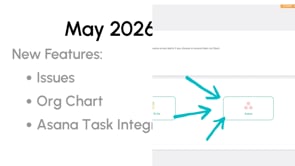
The May release just rolled out! Get excited!!
It introduces three features we've never had before—built around closing the gap between what you plan and what actually gets done.
Here's what's new:
Issues Tracking captures blockers the moment they surface. Headline. Impact. Urgency. Vote on priority. Track resolution. No more important actions vanishing after the meeting ends.
Organizational Chart Upload your org chart PDF and the AI translates it into Align's structure, or start from scratch in the app. Now everyone knows who owns what—and decisions move faster because the structure isn't buried in a spreadsheet nobody updates.
Asana Task Integration connects your strategy to the daily work. See tasks tied to priorities without context switching. Your team stays in their workflow. You get the clarity to know the daily effort actually moves the needle.
Upgrades to current features:
- Annual Initiatives now include Targets, Owners, and Descriptions
- Annual Initiatives available in the OKR version of Align
- Data Table Targets (Select Beta)
- Cleaner metric drop-down menus—deprecated and inactive metrics removed
- Huddle section editing for Owners and Admins - Preparation for Upgrade from Classic Huddles at the end of July.
Your execution operating system should fit how you actually work—not some generic template. That means connecting quarterly priorities to everyday work. Making sure blockers get solved. Making sure your structure drives better decisions.
This release does all three. Start exploring.
Your data just got smarter: Smart Pulse Report - Call for Beta Users!
Imagine turning every metric, every update, every win in Align into a polished report in minutes. That's Smart Pulse. Board slides. Quarterly planning reviews. Proof of execution. Beautiful, ready to go.
We're building a small exclusive beta. If you're on the Standard plan and want in, apply for the early beta.
Join Ask Align for open office hours and a deep dive into this release.
Talk soon,
Your Align Advisors
Hey there,
You know your business. You know how fast your team moves, what motivates them, and where the real bottlenecks are. So why would you force-fit a strategy process that doesn't match how you actually operate?
Here's what we've consistently seen in companies that execute well: they nail three fundamentals.
The Constants
1. Clear expectations. Your team needs to know what winning looks like and what they're accountable for. This isn't bureaucracy—it's the difference between people feeling set up for success and people guessing.
2. Numbers + goals + communication in a consistent format. Pick a cadence, pick your metrics, stick with it. Your team can't improve what they don't measure, and they can't align if nobody's talking about the same thing.
3. Connect the why. Start with your big picture, then work down to execution. When people understand where the company is going and why, they get creative about solving problems instead of just checking boxes.
These three things work. We've seen it across dozens of companies. But here's the thing—how you do them is completely up to you.
The Variables (Pick What Fits)
Some companies run lean on metrics. You might have one leading indicator—the number that moves everything else. You focus there. Simple. Clean.
Other companies thrive on data. Your team wants visibility into five, ten, or fifteen metrics because that's how they make decisions. They want to see the full picture. That works too.
Same with huddles. Some teams meet weekly for 20 minutes, update async, keep it tight. Others do daily standups or biweekly deep dives with prep work beforehand. Some run 13-week sprints with task-by-task breakdowns. Others stay number-driven and let the metrics guide priorities.
The point: your flow is your flow. Align adapts to it.
Not sure where to start? That's exactly what Ask Align and the AI Advisor are for. Describe how your team operates, what you're trying to solve, and get guidance tailored to your actual business.
New Areas You Can Add to Your Flow
We're shipping some new tools next week to give you even more flexibility:
Issues — Capture problems as they come up, tag them to a component, rank them, then discuss them in your huddle. Solves the "where do we track this?" problem without adding another tool.
Org Chart — Upload your existing chart and let AI transition it in, or build from scratch in Align. Keep your structure visible to the whole team as it changes.
Asana Task Integration — Bring your Asana tasks into Align alongside everything else. (Coming this summer: pull Asana Projects in as Priorities, so your execution plan flows from strategy all the way down.)
Your Strategy Evolves. So Does Your Flow.
As your company scales, what works today might shift tomorrow. That's not a failure—it's growth. The beauty of having a flexible system is you can adjust your cadence, add metrics, change how you run huddles, without rebuilding everything from scratch.
Start where you are. Adjust as you learn. Ask Align when you're not sure.
Talk soon,
Your Align Advisors
Have you tried it?
Use a Google Add-On to connect your Sheets to Metrics
- Create & Update multiple metric all at once
- Stay in workflow by linking to a sheet you already use
- No More Zapier for Google Sheets! Use the Add-On instead.
Hey there,
We get this question a lot: “Should I put this in Align or my project management tool?”
While you can manage your entire daily to-do list in Align, the platform’s superpower isn't tracking every sub-task—it’s keeping your "North Star" in sight. Think of it this way:
-
Your PM Tool (Asana, Jira, etc.) is the Engine Room. It’s for the "How." Use it for granular tasks, dependencies, and the complex moving parts of a project.
-
Align is the Navigation Deck. It’s for the "Why." Use it for the high-level priorities and habits that actually move your company’s strategy forward.
How to Build a Strategic Habit
To move from "busy" to "strategic," here is the workflow we recommend to get the most out of the system:
1. Start from Strategy, Not Tasks Before adding work, look at your quarterly Priorities. Do they roll up to your annual initiatives? Are there too many? (We recommend no more than 3). Ask yourself: “How much time can I realistically devote to these each week?”
2. Win the "13-Week Sprint" Break those Priorities into weekly milestones. Aim for one concrete milestone per week—something that moves the needle, no matter how small.
-
Pro Tip: Scaling Up coach Bill Gallagher suggests Time Blocking. Block off one hour every Monday to focus exclusively on your strategic work. Strategic work is rarely "urgent" until it’s too late, so protect that time like it’s a client meeting.
3. Close the Loop in your Huddles This is where strategy becomes culture. Make sure your milestones are visible where you actually talk to your team.
Coming Soon: Strategic Clarity (Minus the Context Switching)
For the Asana users in the building, we're making it even easier to bridge the gap:
-
Mid/Late May: Our Asana Tasks integration launches.
-
June: You’ll be able to connect specific Asana Projects directly to your Align Priorities, so your "Engine Room" and "Navigation Deck" stay perfectly in sync.
Is there an integration that would make your world run smoother? Email us back and let us know!
Talk soon,
Your Align Advisors
Have you tried it?
Use a Google Add-On to connect your Sheets to Metrics
- Create & Update multiple metric all at once
- Stay in workflow by linking to a sheet you already use
- No More Zapier for Google Sheets! Use the Add-On instead.
Hey there,
Q2 is set. Now it's time to run it.
The planning work you put in at the start of a quarter only pays off if the execution remains disciplined. Here are three areas worth a personal check before you get too deep into Q2.
🔹 Priorities — Keep It to 1-3, Then Work Them Weekly
If you have more than three priorities this quarter, you don't have priorities — you have a wish list. Pull yours up and ask: are they connected to an Annual Initiative or rolling up to a Company Priority? If not, they're floating.
Once they're anchored, use Tasks as weekly milestones. Breaking a 13-week priority into weekly moves keeps you from the end-of-quarter scramble. And if you haven't used the AI Coach to pressure-test whether your priorities are truly SMART, that's a five-minute exercise worth doing right now.
🔹 KPIs and Critical Numbers — Know Your Next Move
Your Critical Number should tell you at a glance whether you're on track for the quarter. Your KPIs are the early warning system — the leading indicators that show you where things are heading before the quarter tells you the answer.
Here's the real test: if a KPI goes red, do you know exactly what you'll do next? If the answer is "I'd have to think about it," that KPI isn't ready. Take a few minutes to assign a clear course-correction action to each one. Knowing something is off isn't enough — having the response ready is what makes the data useful.
🔹 Huddles — Your Setup Only Works If You Work It
A great Q2 plan sitting in Align won't move the needle on its own. Look at your weekly meeting — are the right KPIs on the agenda? Is your Critical Number visible? Do any of your priorities need a dedicated weekly or bi-weekly working session to keep them moving?
Quick Tip from Our Own Team:
In our Daily Huddle — we call it the Big Huddle — every Parent Priority owner gives a very short Priority Update every Tuesday before the regular standup. It takes about 10 extra minutes, but it keeps the whole company connected to what's moving, not just the people in the working group. Low effort, real impact.
The quarter is already underway. A little time now making sure these three areas are dialed in will save you a lot of scrambling in week 11.
— The Advisor Team
📚 Resources: Check these out on the Align Academy
Have you tried it?
Use a Google Add-On to connect your Sheets to Metrics
- Create & Update multiple metric all at once
- Stay in workflow by linking to a sheet you already use
- No More Zapier for Google Sheets! Use the Add-On instead.
Hey there,
Two weeks ago, we gave you a sneak peek at what was coming. Tonight, it's here.What the AI Advisor does
Think of it as a knowledgeable business partner sitting alongside your data. Ask it questions, and it pulls from your actual KPIs, priorities, and progress to give you a real answer — not a generic one.
- Ask questions about your business data. Why is a number trending the wrong way? How are priorities tracking this quarter? The answers come from what's actually happening in Align.
- Get insights on your KPIs and priorities. The AI Advisor connects the dots between your numbers and your goals so you can see the full picture faster.
- Get recommendations on where to focus. Whether you're a CEO or a frontline team member, it helps cut through the noise and point to what moves the needle.
Everyone on your team. This isn't just an executive tool. A frontline team member can use it to understand their own priorities better. A manager can use it to check in on team progress without scheduling another meeting. A CEO can use it to get a quick read on where the business stands before a tough conversation. One thing that makes it work better
The AI Advisor is only as good as the data behind it. Teams that keep their numbers updated, build out their priorities fully, and run consistent huddles will get sharper, more useful insights. If your system is clean and current, the AI Advisor becomes genuinely powerful.
How the AI Advisor sees your business
By default, it only has access to information you're personally connected to — your Company Dashboard, your One-Page Strategic Plan, the huddles you're in, and your My Dashboard.
That means if your CEO isn't in your weekly sales huddle, the AI Advisor has no idea what's happening in sales. That gap creates blind spots.
Action recommended: Turn on the AI checkbox in your huddles — thoughtfully.
Inside each huddle, there's an AI checkbox. When you turn it on, that huddle's information becomes available to everyone in your organization using the AI Advisor.
For team meetings, sales standups, and ops huddles, that's exactly what you want. For 1:1s or leadership syncs where sensitive topics come up, leave it off. A simple rule: if you'd be comfortable with anyone in the company seeing a summary, turn it on. If not, leave it off.
The more relevant context the AI Advisor has, the better it performs — and you control exactly what that context includes.
We're excited about this one. Log in and explore.
Let’s put it to work.
— The Align Team
New Feature!
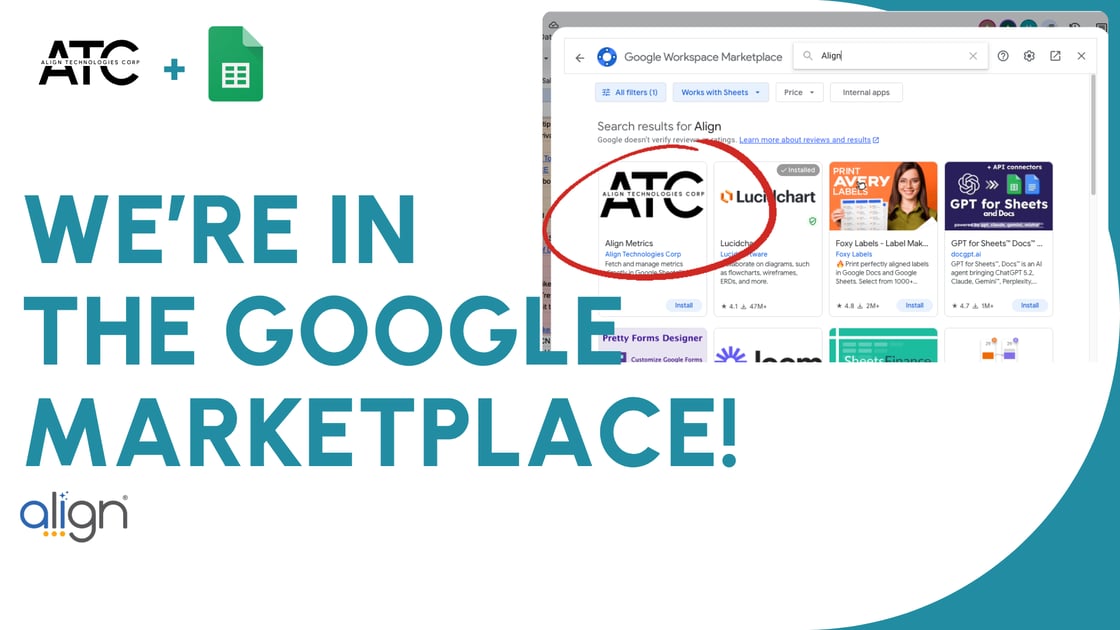
Use a Google Add-On to connect your Sheets to Metrics
- Create & Update multiple metric all at once
- Stay in workflow by linking to a sheet you already use
- No More Zapier for Google Sheets! Use the Add-On instead.
Hey there,
New Release Available Now! Check out the New Release page on the Academy for a short video walkthrough.
At its core, this release is about helping you make smarter decisions faster, with better visibility and less manual work.
Let’s start with new features:
- Google Sheets Plugin integration
- Export Critical Numbers and KPIs to CSV
- One-time Huddles and a Quarterly Planning Template
These additions are all about flexibility. You can now move data more easily, plan with more structure, and meet in ways that match how your team actually operates.
We’ve also made meaningful improvements to Data Tables:
- Reorder values to match how you think about your data
- Add Median, Max, and Min calculations, with the option to toggle Average
- Include more detailed target information (released soon after a short beta test)
This gives you a clearer picture of performance so you can spot trends and make adjustments with confidence.
Weekly execution is getting stronger too:
- You can now track stucks directly in Weekly Huddles
- Tasks can align more cleanly to priorities and huddles
- Metrics are easier to manage with cleaner dropdowns and automatic creation when tied to Critical Numbers
These updates tighten the connection between what you plan and what actually gets done each week.
And then there’s AI Advisor.
Starting next week, AI Advisor will be turned on for everyone.
This is a meaningful step forward. The goal is simple: help you and your team get better guidance without adding more meetings or manual analysis.
AI Advisor follows your existing visibility rules. If you can see it, the AI can use it to provide relevant insights.
ACTION RECOMMENDED: We also know not every meeting includes everyone, and that’s by design. Many huddles are simply team-specific, not confidential.
That’s why we introduced the AI Checkbox in Huddles.
- By default, AI can use huddle information to generate recommendations
Here’s what you should do this week:
If you have any truly confidential huddles such as 1:1s, leadership-only meetings, or coaching sessions, go into those huddles and uncheck the AI option. This ensures those conversations stay completely private and are not used to inform AI recommendations.
Every update in this release is designed to help your team stay aligned, take action faster, and get more value from the data you’re already tracking.
If you want a deeper look at how to use these features effectively, come to any Ask Align session.
Smart moves today lead to big wins tomorrow. This release gives you a few more ways to make those moves count.
Let’s put it to work.
— The Align Team
Hey there,
As we head into the week, let's bring your attention back to the AI tools already built into Align and how they can support the way you work every day. Inside Align, you already have access to:- AI Priority Coach to strengthen and refine your priorities
- KPI Suggestor to help clarify what you should be measuring
- Huddle Recap Summaries to keep everyone aligned and informed
- AI Advisor, designed to help you execute day to day and better understand what’s happening across your business
Start by using the tools that are already available. If you want to go deeper, join Ask Align to explore more ways to apply AI in your day-to-day work. Then focus on strengthening the habits that make everything work better:
- Keep your numbers updated
- Fully build out and track your priorities
- Run a daily huddle to stay connected
- Hold a weekly meeting for real discussion and decision-making
- Add 1:1s to reinforce accountability
If you’d like early access to the AI Advisor while we’re fine-tuning it, just reply to this email and we’ll get you included. We’re just getting started here, and there’s a lot more ahead. If you're passionate about AI and want to brainstorm with us about how it can enhance the Align experience, we'd love to connect! Just email us back and let's find a time. Talk soon,
Your Align Advisors
It's time to copy over your period.
Step by step instructions are here.
Join Ask Align if you get stuck!
Q1 2026 · Jan–Mar · 13 emails
Hey there,
We’ve made it easier to connect your numbers and control who sees them.
Our QuickBooks Online integration is now available in Align, along with enhanced Metric Visibility settings that give you more control over your data.
Here’s how this helps your team:
Automatic financial data, right where you need it
Once connected, your QuickBooks Online data flows directly into Align. Your key metrics stay up to date without extra effort, so your team can focus on using the numbers instead of chasing them.
Keep sensitive data private and relevant
Not every metric needs to be visible to everyone. With Metric Visibility, you can choose exactly who sees what. Share financial data with leadership while keeping team-level metrics focused and relevant for others.
More clarity across every role
When each person sees the right metrics, conversations become more productive. Teams stay aligned around what they can influence, and leaders maintain a clear view of the bigger picture.
This update is all about making your data more useful. The right numbers, in front of the right people, at the right time.
What’s new: QuickBooks Integration
If you’re pulling financial data manually today, this is worth a look. Our new QuickBooks integration allows you to automatically sync key financial metrics directly into Align. That means your team can spend less time gathering numbers and more time discussing what they mean. You can explore all available integrations here: https://aligntoday.com/align-academy/integrations/
A quick note on Metric Visibility
As you automate more data, it becomes even more important to control who can view and update specific metrics. Metric Visibility gives you the ability to:
- Limit access to sensitive numbers
- Ensure the right people own the right data
- Maintain trust in your reporting structure
Automation works best when it’s paired with clear ownership and visibility.
Coming soon: Google Sheets Integration
Many teams already manage key data in spreadsheets. We’re working on a Google Sheets add-on that will make it easier to connect those numbers directly into Align. This will give you another flexible option to balance automation with visibility, especially for teams that rely heavily on shared sheets today.
Choose the approach that drives the right behavior for each metric.
Make it work for you.
Smart moves today lead to better decisions tomorrow.
- Your Align Team
It's time to copy over your period.
Step by step instructions are here.
Join Ask Align if you get stuck!
Hey there,
Celebrating wins doesn’t have to be a big production. In fact, the most effective recognition is simple and consistent. It reinforces the behaviors that drive results and helps teams stay focused on what’s working.
Inside Align, you have a quick way to do this right where the work is happening.
When you see progress on a KPI Card, a Priority, or a Critical Number, leave a comment. Add a quick note, give context, or drop an emoji. It takes seconds, but it reinforces what good looks like and keeps everyone connected to the bigger picture.
Those small moments add up. They create visibility, strengthen accountability, and remind the team that progress is happening every day.
Another place to build this habit is in your huddles. Consider adding a short “wins” segment each week. It could be a team achievement, a milestone hit, or a quick shoutout to someone who demonstrated your core values in action. Over time, this becomes part of how your team operates, not an extra step.
When teams consistently recognize progress, they stay more engaged and aligned around what matters most.
Make it a point this week to call out a win. You might be surprised how much it moves the needle.
Smart moves today lead to big wins tomorrow.
— The Align Team
Hey there,
Quarterly planning works best when it starts with facts, not guesses. The good news is the facts are already in your Align data.
Before your next planning session, take time to run a simple Start, Stop, Keep review. It helps your team see what actually moved the business forward and what simply kept everyone busy. When teams do this well, they avoid adding new priorities without clearing space first.
The best time to do this is one to two weeks before your quarterly session. That way your meeting becomes a decision session instead of a discovery session.
Here are three ways to start using the framework.
1. Create a formal feedback loop
Your team and your customers often see opportunities leadership doesn’t. A short survey can surface both issues and wins from the front lines. The Align Academy Pre-Planning Guide includes a simple template to help you collect that feedback before your leadership team meets.
2. Run a priority post-mortem
Look back at your Priorities from the last 90 days and ask each owner to review results and lessons learned. What created real progress (Start)? What stalled (Stop)? What should change next quarter (Keep)?
This reflection turns experience into insight and helps the team make smarter decisions for the next set of priorities.
3. Audit your meeting rhythm
As companies grow, meeting habits tend to grow with them. Over time, calendars fill up with recurring meetings that may no longer serve their original purpose. A quarterly planning cycle is a great time to step back and review them.
Use the Start, Stop, Keep framework to evaluate your meeting rhythm. Look at every recurring meeting on the calendar and ask three simple questions.
-
Which meetings should you start because the team needs clearer communication or faster decisions?
-
Which meetings should you stop because updates could be handled inside Align with a quick status change?
-
Which meetings should you keep because they drive accountability, reinforce culture, or help the team stay aligned on priorities?
This short audit often frees up hours each week while making the meetings that remain more focused and productive.
Growth usually comes from a series of small, smart moves made consistently. When you decide what to stop doing, you create the space for better priorities to take hold.
If you’re preparing for your next planning session, review the Quarterly Pre-Planning Checklist to make sure your team is ready.
Additional Recommended Reading
Article: How to Lead an Effective Quarterly Planning Session
Podcast: The Growth Show (episodes on maintaining culture while scaling operations)
Happy Planning!
- The Align Team
Hey there,
Transparency is a core tenet of our philosophy, but it shouldn't create a distraction. We’ve heard from leaders who want to track high-stakes numbers—executive-level KPIs or confidential 1:1 goals—without making them company-wide data points.
The new Metric Visibility feature delivers that balance. It gives you the precision to keep the entire company aligned on "Big Wins" while shielding the tactical, sensitive data meant only for specific eyes. It turns your dashboard into a high-signal environment where everyone sees exactly what they need to win.
Why This Matters for Your Execution:
-
Structured 1:1s: Build great habits across your full team by doing scorecard-style 1:1s. This is an incredible way to train new managers while keeping individual goals and metrics confidential.
-
Executive Metrics: Monitor the numbers that matter to leadership without causing "spreadsheet anxiety" or unnecessary distraction for the broader organization.
-
Note: Just a reminder that Huddles remain private to their members by default to keep your team rhythms focused.
Scale Your Team Without Friction
If lack of visibility control was holding you back from onboarding more of your team, that barrier is gone. Start adding your department heads and frontline managers today.
Need a hand setting this up? Join us at Ask Align to get specific. We’ll walk you through your own metric settings and help you structure your dashboard for maximum focus.
Hey there,
Being a manager often feels like being the "Chief Problem Solver." It often feels easier to just fix the mistakes, but the most effective leaders focus on coaching their team so the mistakes don’t repeat.
Coaching builds a culture of high performers who own their roles. This shift might feel like it takes too much time, but it actually gives you more time to focus on high-level strategy and ensures your team has the confidence to execute in the long run.
Three Ways to Coach Better in Align
We’ve specifically designed Align to help you facilitate these growth conversations without adding more "work" to your plate:
-
Build Ownership through Entry: It is often tempting to enter a Priority or KPI for a team member to ensure a "perfect" setup. However, the simple act of typing in their own goals creates immediate ownership. Let your team enter their own information. They might surprise you with the results when they feel truly responsible for the data.
-
Update Your 1:1 Questions: Standard status updates often miss the mark. Use your 1:1 section to add coaching-specific questions. Instead of asking "What is the status of project X?", try asking "What is the biggest obstacle slowing you down this week?" or "What’s one thing you learned from that client interaction?"
-
Utilize "Persons of Interest": Managing a team means keeping track of who influences which goals. The Persons of Interest feature allows you to see exactly who is connected to specific priorities. This visibility helps you provide targeted coaching to the right people at the right time.
Level Up Your Leadership
Coaching is a skill that requires practice. To help you refine your approach, our team recommends reviewing these Align Specific resources:
-
Align Academy: Explore our Leadership Section for more on building high-performing teams. Also, check out the book club list for more general business learning and advice!
-
Deep Dive: Check out this guide on Leveling Up Your Coaching for practical frameworks you can use in your next meeting.
The goal is simple: make smart moves today so you can celebrate big wins tomorrow.
New Release Available March 3!
- Metric Security: Want to add more people to your account but control who sees which numbers? Metric Security gives you confidence to expand access while protecting sensitive data.
- Quickbooks Online Integration: After three weeks in Beta and strong feedback from users, we’re turning this on for Basic and Standard packages in this release. Your financial data can now flow directly into Align, keeping your numbers accurate and up to date without manual entry.
- Archive a Huddle: If you're transitioning teams, adjusting your meeting rhythm, or starting fresh, you can now archive a Huddle. It stays in your records but disappears from navigation and dropdowns so your workspace stays clean and focused.
- Commenting: Need to ask a quick question or recognize a win? You can now comment directly on KPI Cards, Priorities, and Critical Numbers. Keep conversations connected to the work that matters.
We’d love your feedback. Join Ask Align to see these features in action, get your questions answered, and learn how to put them to work with your team.
Hey there,
If a team member is working hard but can’t point to the Annual Initiative their priority supports, they may not "get it" yet. As your company grows, this is a common observation. However, closing that gap is not a one-time conversation. Habit #3 for great managers is about closing that gap through consistent, visible execution.
1. Revisit the Foundation
High-growth teams treat their One Page Strategic Plan (OPSP) as a living document. We recommend revisiting at least one section of your OPSP each quarter. For example, reviewing your Core Values ensures they still reflect your current team culture. When the foundation is clear, the daily work in the software makes more sense. Then present your findings to to the rest of the company. You build trust when the team knows their leadership is reviewing strategy and transparently sharing.
2. Connect the "Why" in 1:1s
The fastest way to see if your team is aligned is to look at their Priorities. During your 1:1s, ask a simple question: "Which Company Priorities or Annual Initiative does this priority support?" If the connection isn't clear in the software, use that moment to coach. Ensuring every individual priority links to a larger Company Priority or Annual Initiative turns a "to-do list" into a measurable contribution.
3. Lead the Conversation
Accountability means owning the outcome, not just the task. As a manager, you are accountable to your team to:
-
Lead the conversation around their priorities.
-
Remove blockers before they slow progress.
-
Support "child priority" owners to ensure they have what they need.
-
Report on progress with transparency.
Make sure your weekly huddle has a Priorities Review section...and the team updates it weekly. By highlighting how the team's work hits company priorities during your huddles, you reinforce that every smart move today leads to a big win tomorrow.
Resources for Your Team:
-
Align Academy: Align for Leaders
Get Excited!
New Release Coming March 2!
So what's in the release?
- Metric Security: Want to add more people to your account but control who sees which numbers? Metric Security gives you confidence to expand access while protecting sensitive data.
- Quickbooks Online Integration:After three weeks in Beta and strong feedback from users, we’re turning this on for Basic and Standard packages in this release. Your financial data can now flow directly into Align, keeping your numbers accurate and up to date without manual entry.
- Archive a Huddle: If you're transitioning teams, adjusting your meeting rhythm, or starting fresh, you can now archive a Huddle. It stays in your records but disappears from navigation and dropdowns so your workspace stays clean and focused.
- Commenting: Need to ask a quick question or recognize a win? You can now comment directly on KPI Cards, Priorities, and Critical Numbers. Keep conversations connected to the work that matters.
We’d love your feedback. Join Ask Align to see these features in action, get your questions answered, and learn how to put them to work with your team.
Hey there,
We talk about four core leader habits that create alignment and help teams scale. This week, we’re focusing on Habit #2: Set Clear Expectations.
Managers set the direction, then remove roadblocks so their teams can do their best work. If people do not clearly understand where they are headed or how success is measured, they cannot consistently deliver the right results.
Clear expectations answer three questions:
-
What does winning look like?
-
How are we measuring it?
-
What should we focus on right now?
Align gives every manager a simple way to reinforce those answers.
1. Clear Critical Numbers
Make the target visible and explain why it matters. When your team understands how improving a number impacts the business, their work gains purpose.
2. Leading Indicators (KPIs)
Define the weekly actions your team can control. These are the behaviors that move the Critical Number and prevent end-of-quarter surprises.
3. Focused Priorities
Write Priorities that connect directly to your Critical Number. Priorities represent the strategic moves that drive the numbers, not just a list of tasks or a number goal. Use the AI Coach to help!
Check out this reminder of the difference between Priorities and KPIs.
These three areas apply to every team in your organization. Your executive leadership team sets company-level direction. Department leaders translate that into team-level numbers and priorities. Frontline managers reinforce the KPIs and priorities that impact clients every day. When every level uses the same structure in Align, expectations stay consistent and execution gets stronger across the board.
If you would like a refresher on setting strong Critical Numbers, KPIs, and Priorities, visit the Align Academy:
https://aligntoday.com/align-academy/welcome/
Smart Moves Today, Big Wins Tomorrow.
Feature Highlight
Numbers API Help
The Numbers API is Align’s way of letting your systems talk to Align’s Metrics.
We know as a smaller business you not have access to dedicated developer resources. If you want to take advantage of the API but don't have the developers to do it, talk to us!
Don't have a Development Team? We do! Talk to us about our Custom Align API Development services.
Hey there,
One of the most effective ways alignment shows up inside Align has nothing to do with planning meetings or dashboards.
It shows up in manager habits.
After quarterly planning is done and priorities are set, alignment is maintained by how often managers talk about those priorities and connect them to the work happening every day. That consistent reinforcement is what keeps goals relevant instead of forgotten.
This is where simple communication rhythms make a real difference.
When managers regularly reference priorities in short, structured conversations, teams stay clear on what matters and how their work contributes to company-wide goals. People don’t need reminders in long meetings. They need them built into how work already happens.
Two habits inside Align support this especially well.
Daily huddles keep priorities visible in ten minutes or less. Over time, team members naturally shift how they talk about their work—from listing tasks to sharing progress tied to priorities. The work doesn’t change, but the focus does. That shared framing keeps goals top of mind and makes alignment part of the day, not a separate meeting.
One-on-ones keep alignment personal. These conversations help managers reconnect individual work to team priorities, surface roadblocks early, and reinforce what success looks like this quarter. When used consistently, people leave knowing exactly what to focus on next and why it matters, empowering them to make better decisions between meetings.
Neither habit requires more effort. They just require consistency.
Over the next few weeks, we’ll be highlighting four leadership practices that support strong execution inside Align:
• Effective communication rhythms (this week)
• Clear expectations and goals
• Connecting company purpose to daily actions
• Coaching for growth
You can explore all four here:
https://aligntoday.com/align-academy/leaders/
We’re starting with communication because it’s the habit that keeps everything else working.
Consistent communication rhythms build confidence. Confident teams make better decisions.
And smart moves today really do lead to big wins tomorrow.
- Align Success Team
Feature Highlight
Numbers API
The Numbers API is Align’s way of letting your systems talk to Align’s Metrics.
-
You define the key data you want tracked (revenue, leads, hours, etc.)
-
Your tech team sets up a connection using the API
-
That data flows into your Metrics, which then powers:
-
📈 KPI Cards
-
✅ Priorities & Critical Numbers
-
🎯 Quarterly & Annual OPSP Targets
-
No more manual updates. Just always up-to-date performance data.
Don't have a Development Team? We do! Talk to us about our Custom Align API Development services.
Hey there,
Ever been ready to move a priority forward, but you’re waiting on one thing?Maybe it’s a signature from your boss.
Maybe it’s input someone committed to during the last meeting.
Maybe you already tried a clear Who What When, and everything depends on that last step.
That’s exactly where Stucks come in.
What is a Stuck?
A Stuck is a simple way to signal that progress is blocked by a specific person or action. When you issue a Stuck, it shows up in huddles and as a reminder on the other person’s screen. It’s clear, visible, and hard to ignore.
It’s not about calling someone out.
It’s about keeping momentum.
Why Stucks Matter as You Grow
As companies grow, complexity grows with them. Leaders do a great job setting direction and defining where the team needs to be by the end of the quarter. The real challenge often shows up in the follow-through.
Small delays add up.
Unreturned asks slow teams down.
Cross-functional work stalls when no one wants to be “that person” who follows up.
Stucks give teams a respectful way to remove friction and keep priorities moving forward. Used well, they support Align’s promise of making smart moves today that lead to big wins tomorrow.
Ground Rules for Using Stucks Well
To keep Stucks productive and positive, a few simple rules matter:
1. Use a Stuck after other tools
Was there a Who What When with a clear deadline that passed?
Was it raised in a meeting and still unresolved?
A Stuck is a follow-up tool, not a first step.
2. Respect the Stuck
If someone issues you a Stuck, take it seriously. Everyone is working toward the same goals. Clearing it quickly keeps you from becoming the bottleneck.
3. Bring Stucks into Daily Huddles
Stucks work best when they’re part of your team’s daily rhythm. Use them in Daily Huddles to surface blockers, assign help, and keep accountability visible. Only the person who issued the Stuck can clear it, ensuring ownership and transparency.
One Final Tip
Don’t just turn the feature on and hope for the best. Introduce Stucks intentionally. Set expectations and ground rules so everyone understands how and why to use them.
When teams use Stucks consistently and respectfully, work moves faster, frustration drops, and priorities actually get finished.
Smart moves today really do lead to big wins tomorrow.
— The Align Team
Feature Highlight
PRODUCT RELEASE TONIGHT!
Huddles By Section View: (not available in classic) - Run your huddle by section instead of person. Admin and Huddle Owners can change the view in the huddle settings.
Quickbooks + Metrics native integration (Beta): Bring financial metrics directly into Align with less manual work. Want to be part of the Beta? Sign up here.
Usability Improvements – Faster dropdown search, easier priority edits on the One Page Strategic Plan, and smoother scrolling on advanced priority settings.
What's Up Next? Metric Security Enhancements, Archive Huddles, Commenting and more!
Hey there,
This week, we’re focusing on a simple idea you’ll notice everywhere in Align: almost everything has one owner.Yes, work gets done by teams. Collaboration matters. But progress happens faster when one person is clearly accountable for guiding the outcome.
Responsibility vs. Accountability
These two words get used interchangeably, but they play very different roles.
Accountability means owning the outcome overall.
That person leads the conversation, understands why the priority matters, removes blockers, supports child priority owners, and reports on progress. They guide the team toward the right impact.
Responsibility means owning your individual work.
It is the true feeling of ownership. One task, one owner. When more than one person owns something, no one truly does.
Align is intentionally built around this distinction.
How Align helps reinforce ownership
Here are a few practical ways to use Align to strengthen responsibility and accountability across your team.
- Distribute the work
Each person should enter their own Priorities, Tasks, KPIs, etc.. It’s tempting to have one administrator keep everything “clean” and organized. That may look nice, but it doesn’t create ownership. When people enter their own work, they naturally think through the language, priorities, and connections. That mental processing builds commitment you cannot assign. - Use the daily components
Tools like Who What When, Priority Task Build Out, and Daily Huddles quietly reinforce responsibility. When everyone sees their face next to a due date, ownership becomes personal and visible.
Quick tip: make sure everyone uploads a profile photo. It sounds small, but it makes ownership real. - Turn on Alerts
Alerts keep ownership top of mind. Encourage the team to review their individual settings and enable task alerts, huddle alerts, priority alerts, and the weekly task email. Reminders reduce dropped balls and last-minute surprises.
If you want help setting this up or seeing how other teams are using these tools, join Ask Align. We’ll walk through each of these steps and show how to put them into practice right away.
Smart moves today really do lead to big wins tomorrow.
Feature Highlight
In-App Statistics
Wondering how the team is adopting the software or how your changes are affecting culture? Track eNPS Score, eNPS Responses, and 7 Day Login automatically.
Hey there,
One of the strongest leadership habits you can build is also one of the simplest.
Ask your leadership team to clearly identify the #1 Priority.
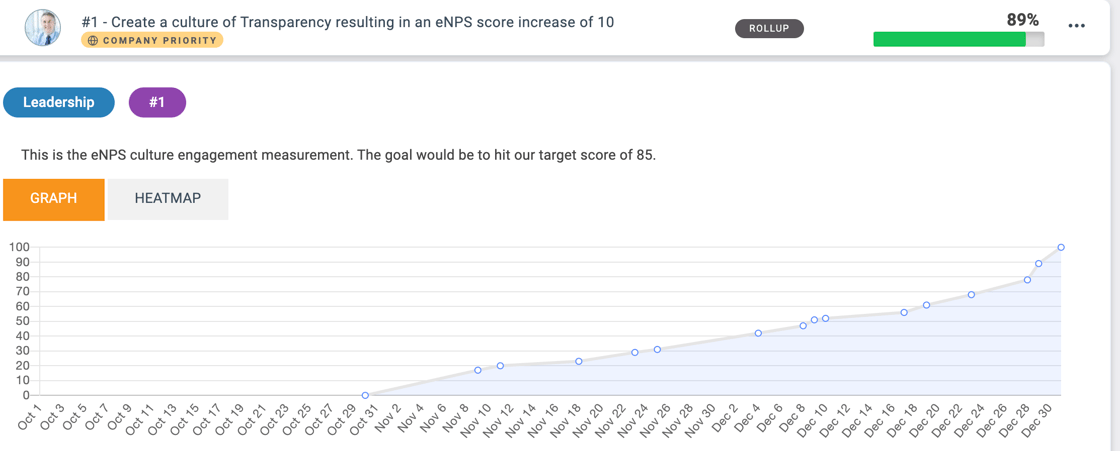
Most teams already have goals and priorities defined. Seeing them cascaded on the Priorities page is helpful on its own. What really matters, though, is how those priorities are used. In Align, every tool is designed to communicate direction and set clear expectations.
Your team wants to move the company forward. They rely on leadership to be clear about what matters most.
Here’s a simple way to put that clarity in place:
1. Add a short agenda item to your next leadership meeting
Set aside 15–20 minutes to review all company priorities. Keep the list tight. Fewer than five is ideal. Smaller teams often do best with fewer than three.
2. Identify the one priority that matters most
This is the priority that directly protects your annual goals. When two important initiatives compete, this one takes precedence every time.
3. Make it visible and talk about it
Tag it as #1 in Align and add “#1” to the title. Then communicate it clearly to the entire team.
Explain why it earned that spot, how it connects to the annual goals, and how individual roles contribute. Reinforce how employees can use the #1 Priority to guide decisions in their day-to-day work.
This last step is where many teams lose momentum.
Growth accelerates when capable people are pulling in the same direction with a shared goal in mind. When everyone applies their skills and problem-solving energy to what matters most, progress compounds.
The #1 Priority is one of the simplest ways to create that focus and alignment.
Smart moves today lead to big wins tomorrow.
— Your Align Team
Hey there,
Last week, we talked about why a daily huddle, done right, can be the most impactful 15 minutes of the day.
This week, let’s go deeper into what “right” actually means and how to coach your team to get there.
A strong daily huddle is short, simple, and informative.
It is not a problem-solving meeting. It is about facilitating the flow of relevant information across the team so everyone can make better decisions throughout the day.
Here’s how that shows up for different roles:
-
As a team member: This is practice in communicating up. You are showing your manager and teammates your impact and learning to think in terms of outcomes, not just activity.
-
As a huddle participant: You are listening for information that may affect your world. This is Marketing’s dream scenario because they finally hear what’s happening early enough to plan and act.
-
As a manager: You build confidence that your team not only stays focused on the right priorities but also understands them deeply—why they matter, how they connect to company goals, and what success looks like. This ensures progress is meaningful, not just motion.
-
As a new hire: This time is gold. You learn who does what, how people think about their work, and how the company actually operates.
So how do you coach the team to get all of these benefits? Beyond last week’s key point of writing updates down instead of just saying them, here are three practical ways to raise the quality of your huddles.
1. Set clear expectations
Keep the huddle focused and simple. Don’t let it try to cover too much.
Two questions are enough:
-
What did you accomplish yesterday that is relevant to the team or priorities?
-
What is your top priority today?
That clarity makes it easier for everyone to prepare thoughtful updates.
2. Share clear resources
Give the team shared “rules of the road.” This short overview is a great place to start and helps create consistency across roles.
You’ll also need to reinforce these rules regularly. Not every day, but if the team starts to slip, take a minute to remind everyone why you’re doing this huddle in the first place. Mastering the “quality update” skill takes practice and patience, and those quick reminders help keep the standard high.
3. Coach offline in 1:1s
The real improvement happens outside the huddle. Use your one-on-ones to give specific feedback based on the person’s role.
Coach people on what makes an update helpful. Reinforce that this is not a to-do list or a read-through of calendar appointments. It is a thoughtful update for the team. If someone does not have a clear outcome to share on a given day, encourage them to bring good news or a meaningful insight instead.
The best part of a daily huddle is how it changes the way people think about their work. Early on, updates often sound like task lists. With coaching, practice, and modeling, they evolve into insightful communication that keeps information moving through the company.
When you get the daily huddle right, you will often notice fewer meetings and fewer emails. That’s a smart move today that leads to bigger wins tomorrow.
— The Align Team
Product Updates
Release: Thursday, January 8
In the first release of 2026 we give you:
- 2 new alerts - Task Creator alert when someone deletes a task they created + Huddle Alert quick add to remind you to update your huddle.
- Roll Up Priority Color Option - Choose "Child Color" to let the color of your priority be driven by the Priority's children. If one is not green, the parent will be yellow. If 2 or more are not green, the parent will be red.
- Metrics Logs - See when owners or integrations change. Metrics have really gotten a glow-up in the past few sprints, ask about it in Ask Align to learn more.
Have you noticed the load speed?
We spent the last sprint really focused on performance improvements. Last week's release improved load times for metrics, dashboards, huddles and more.
Have product feedback? We'd LOVE to hear your ideas during Ask Align!
Hey there,
We’ve all heard the “no more meetings” mantra. It makes sense—too many meetings waste time. But the Daily Huddle isn’t just another meeting. It’s a habit that SAVES time. It sharpens focus, builds connection, and keeps teams aligned on what really matters.
Turning on your camera for 15 minutes each morning and seeing your team’s faces—especially in a remote or hybrid setup—reminds everyone that you’re in this together. That connection alone is worth the time.
But the real power of the Daily Huddle comes from writing your update.
It’s not a list of tasks. It’s a quick analysis:
-
What did I accomplish yesterday that affects the rest of the team?
-
What will I do today to move our priorities forward?
If your update reads like a replay of your calendar, it’s time to adjust your approach. Think strategically:
-
If you’re in sales and closing a client today, your ops team needs a heads-up to prep for onboarding.
-
If you’re in marketing, what content is launching that your sales team can mention in their demos?
-
If you manage a team, when’s your busiest window, and where will you need extra hands?
When your updates answer questions like these, the Daily Huddle becomes more than a routine—it becomes a way of thinking. It helps you move from “busy” to strategic.
Try this week:
- If you're not already, DO A DAILY HUDDLE. Try it for a month, see what changes.
- Challenge the team to write in their updates before the huddle.
Notice what changes when everyone has taken 5 minutes to think about their update and write it down. - Focus on what your teammates need to know, not just what you’re doing. You’ll see faster collaboration and smarter decisions.
👉 Learn how to run effective Daily Huddles here: Align Academy – Daily Huddles Rules of the Road & Daily Huddles Guide
Next week, we’ll talk about how to coach your team to write stronger updates—so every huddle drives real alignment and progress.
Smart Moves Today, Big Wins Tomorrow.
— The Align Team
2025
Q4 2025 · Oct–Dec · 12 emails
Hey there,
The start of a new year and a new quarter gives you something you don’t get very often—a real fresh start. People are more open to changing how they work right now. That window doesn’t stay open long, so it’s worth using it for a purpose.
If you want to level up execution in Q1, choose one or two new habits to roll out across the business.
1. Take a hard look at goal quality.
Clear priorities drive execution. Vague ones create confusion and rework. This is a good moment to pressure-test Q1 priorities, make sure they are specific, measurable, active, and clearly tied to the strategy, and check to see if it's a true Priority (full quarter) or a Task (2 hrs to 2 days). Remember a Priority is different than a Project.
👉 Challenge every person who owns a Priority to revise that Priority using the AI Coach in Align. Make clarity the standard, not the exception.
2. Raise the bar on updates.
If weekly or daily meetings sound like a list of tasks, you’re missing the insights that actually improve performance. Better updates focus on analysis, clearing obstacles, action plans, and learning—not just activity.
👉 Ask every team to update their Priorities each week by answering three questions in Huddle: Are we making real progress? What’s off-track and what am I going to do about it? What did we learn this week?
3. Be crystal clear on prioritization.
Focus drives execution. When teams try to push five priorities forward at once, nothing really moves. One clear priority creates alignment and better trade-offs.
👉 Require each team to identify a single #1 Priority for Q1 in Align and explicitly describe how it impacts the company’s Critical Number or Company Priority (use the description section on the Priority).
4. Lean into consistent rhythms.
Consistent rhythms prevent the “set it and forget it” trap. When leaders set clear expectations that teams are accountable for Priority progress on a regular cadence, focus stays on the few items that actually move the business forward—not the fires of the week. Done well, these rhythms surface issues early, create space for help, and keep priorities front and center all quarter long.
👉 Lock in two huddles that drive execution momentum. Use a Daily Huddle (15 minutes or less) to surface issues quickly and reduce interruptions and email chaos throughout the day. Use a Weekly Huddle to ensure Priorities and Critical Numbers stay front of mind. These rhythms only work when they’re run the right way—this guide shows how to make them count. Bonus for adding a Monthly KPI review!
Make Smart Moves Today (and in 2026) for Big Wins Tomorrow!
- The Align Technologies Corp Team
PS - Need a little guidance for changing over the period to Q1? Check out the Academy guide here.
Hey there,
One of the easiest ways execution breaks down is when teams confuse Priorities with Projects.
They sound similar, but they play very different roles.A Priority (or Rock) answers one simple question:
What must be true by the end of this quarter for us to win?
It’s about focus and outcomes. When a Priority is complete, something meaningful has changed for the business. That’s why there should only be a few, and why they tie directly to strategy.
A Project answers a different question:
What work needs to happen to support that outcome?
Projects are important, but they’re about activity and tasks. Finishing a project doesn’t always mean the business moved forward—it just means the work got done.
Here’s a quick gut check:
🚫 If you finish it and nothing measurable changed—no key number moved, no bottleneck was removed, no decision was made—it was probably a project.
✅ If finishing it changed a result, removed a constraint, or created a new capability, it was a Priority.
Take a few minutes this week and next (or first week of Jan) to review your Q1 Priorities. If any of them read like a list of tasks, challenge the owner to revise them into a clear outcome (try using the AI Coach!).That small distinction helps teams stay focused on results, not just staying busy.
Hey there,
Ever feel like you’re spending more time in Align than the Time Guide suggests? You might be—but that’s not always a bad thing. Here’s how to know if your time is well spent—or if it’s time to simplify.
🔹 Start With One Focus.
Great ideas are exciting, but not every idea belongs in this quarter’s plan. What’s the single most important outcome for your business this quarter? Revenue growth? Retention? Safety? Rank every Strategic Priority by its potential impact on that one number. And remember, no one should have more than three Strategic Priorities.
🔹 Check the Type of Work.
Are your priorities strategic (working on the business) or task-management (working in the business)? If you're tracking projects (not Strategic Priorities), it’s normal to spend more time in the platform. That time isn’t wasted, it’s aligned.
🔹 Trim the Noise.
Data is powerful, but only if it drives action. Take a fresh look at your KPIs. Can you clearly state what you'll do if one goes off track? If not, it may not belong on the dashboard.
🔹 Set It, Then Work It.
Use Align to lock in the quarter with your Critical Numbers, Company Priorities, and KPIs. Then shift to execution: keep the rhythm of daily huddles and weekly team check-ins alive (once you've mastered those, add monthly number reviews and performance 1:1s). That’s what turns planning into performance.
👉 Check the Time Guide to see where your team stands.
Fewer, better priorities executed well will take you further than a long list that never gets across the finish line.
Hey there,
This week is a good time to revisit a simple idea that can quietly make or break your quarter: understanding the difference between a Priority and a Task. When teams mix the two, execution slows down and accountability gets muddy. When they’re clear, everyone moves with purpose. Smart moves today create big wins tomorrow. So what’s the difference? A Priority is a strategic commitment for the quarter. It should be SMART or FAST, have a clear outcome, and represent meaningful progress toward your bigger goals. Coach Herb Cogliano does a great job explaining what strong Priorities look like in this short webinar. A true Priority should take the entire quarter to complete because it represents impact, not activity or a single KPI. A Task is a short, tactical milestone.Tasks help you chip away at a Priority. They’re bite-sized and actionable. If it takes more than two to three hours, it’s probably not a Task yet. Break it down. Why people get tripped up
Some Priorities don’t show measurable progress until the end of the quarter. That’s normal. The trap comes when those “end-loaded” Priorities get ignored for too long. The fix is simple: create weekly Tasks that move the work forward in small, intentional steps. This keeps momentum steady and prevents the last-minute scramble that undermines quality. A few more helpful distinctions
- A Priority describes what you’re trying to accomplish and why it matters. A Task describes how you’ll move it forward and who's accountable to do it.
- A Priority reflects strategy. A Task reflects execution.
- A Priority stays stable for the quarter. Tasks can change as the work evolves.
If you haven’t tried the Align Priority Coach, now is a great time. It guides you through writing a SMART Priority and—starting Friday—the updated version will one-click create the Priority and Tasks for you. That means your strategic intent and your weekly execution stay connected. Share the public version with teammates or anyone in your network who could benefit: https://aligntoday.com/ai-priority-creation/ If you keep your Priorities strategic and your Tasks tactical, your team stays aligned and your quarter stays on track.
Hey there,
The end of the year moves fast. Everyone is carrying extra weight, and we rarely know what’s happening behind the scenes. Brené Brown puts it well: “My life is better when I assume that people are doing their best.”
That perspective matters right now. When teams choose to assume the best in one another, conversations become clearer, decisions come faster, and the work feels more manageable. It creates a steady culture where people feel supported while still staying focused on results.
Supportive Accountability
Supportive accountability blends trust with clarity. It gives people the room to be honest about progress and roadblocks without fear of judgment. When accountability feels shared, individuals are more willing to speak up, ask for help, and rally around common goals.
Your Daily and/or Weekly Huddles reinforce this mindset. They provide a predictable rhythm where everyone checks in, aligns on priorities, and understands how their work contributes to the team’s success. Huddles become a space where people stay connected to each other, not just to a list of tasks.
A Smart Move for the Week
Remind your team why they’re huddling. It isn’t just to track updates. It’s to create a culture of support where everyone is working toward the same finish line with clarity and confidence.
- Reinforce that idea at the beginning of the huddle
- Write it in the description
- Challenge every team leader to remind their team of the why
Make smart moves today, and see big wins tomorrow with Align!
Hey there,
This morning we’re leveling up a bit. You already know that strong execution depends on having a clear plan and making it visible. So what does that really mean?
Critical Numbers show where you’re going.
Company Priorities outline how you’re getting there.
Your One Page Strategic Plan foundation explains why it matters.
Put those pieces together and you get execution gold.
Set up your Company Dashboard so these elements tell a story your team connects with. Our latest release now lets you bring your One Page Strategic Plan foundation onto the dashboard, right alongside your Critical Numbers and Company Priorities. When your team sees the “where,” “how,” and “why” every day, decisions come faster and progress stays intentional.
If you want a quick refresher, the Align Academy has you covered:
One Page Strategic Plan Overview: https://aligntoday.com/align-academy/welcome/
Expert Insights – Larry Clos Session: https://aligntoday.com/align-academy/industry-expert
New Feature Releases
In Your Account right now! A quick "hotspot" tour will walk you through everything when you log in, but here’s what’s available now:Metrics Page
- Bulk select for faster owner or status updates
- Ratio Quick Create - Make 15 common stats quickly
- Updated Connections Options
- eNPS score and Login counts now supported as metric sources
- Upload documents in Huddles, Tasks, and Priorities (Beta, let us know if you want to participate!)
- More details in the Priority section
- New Calendar Invite
- Individual KPI sections for cleaner personal accountability
- Huddle refresh with out the page refresh
- Updated sidebar options
- One Page Strategic Plan foundation elements now visible next to your Critical Numbers and Priorities
- New KPI card with Gap and Projection graphs
The Align Team
PS - Our offices will be closed on Thursday and Friday this week in recognition of the US Thanksgiving Holiday.
Hey there,
Let’s unpack a question I hear from a lot of leaders and frontline folks: What’s the difference between a KPI and a Priority? It sounds simple, but mixing them up can send teams spinning. Think of this as a friendly tune-up so everyone pulls in the same direction.
So what’s the real difference?
KPIs measure performance.
They tell you how something is doing. They help you spot trends, catch problems early, and stay honest about what’s really happening inside the business. If a KPI moves, you usually ask, “Why?” KPIs support decision making, and they stay consistent quarter to quarter unless something big changes in your business model.
Examples: Customer churn, NPS, SLA response time, units produced per hour.
Priorities drive action.
They describe the work that moves the business forward. A Priority changes the future. It’s a commitment your team makes to improve something, fix something, or build something. Priorities require action, alignment, and ownership.
Examples: Launching a new onboarding workflow, reducing turnaround time, cleaning up a backlog.
When do you use each?
Use KPIs when you want clarity. KPIs keep your team grounded in facts instead of guesses. They tell you if the routine parts of your business run smoothly.
Use Priorities when you want improvement. They give everyone a clear direction for the quarter, and they push the company toward those big, meaningful wins.
Scaling Up describes it this way: KPIs keep the machine running; Priorities upgrade the machine. That framing lines up nicely with how you organize them inside the software.
Best practices that make life easier
Keep KPIs steady. You want to measure trends, not chase shiny objects.
Assign clear owners. Whether it’s a KPI or a Priority, someone should feel responsible for it.
Tie KPIs to your Priorities. If a Priority doesn’t influence at least one KPI, you might be working on the wrong thing.
Keep the list short. Too many KPIs or too many Priorities create noise. A focused list creates momentum.
Review consistently. Use your Daily or Weekly Huddles to surface wins, blockers, and changes. The Align Academy has a helpful section on this here.
How the software helps
If you haven’t set up your KPIs or Priorities for the quarter, jump into your dashboard and give everything a quick refresh. The way the software separates KPIs and Priorities mirrors the way high-performing companies operate. Once they live in the platform, the whole team sees what matters most today and what will move the business tomorrow.
If you want a deeper dive into building solid KPIs and Quarterly Priorities join us for Ask Align!
Hey there,
We’ve got some exciting new features rolling out soon—some small, some big, all designed to make your day in Align smoother and more productive. Here’s how these updates will actually help you:- Document Uploads: No more digging through folders or Slack messages for key files. Now you can attach docs or links right to your Priorities, Tasks, or Huddles so everything you need lives in one spot.
- Metric Page Upgrades: You’ll have more control than ever. Quickly filter what matters most, update owners or statuses in bulk, and use built-in Align numbers (like eNPS or login counts) to drive real KPIs. Less clicking, more clarity.
- Default Metrics: Skip the setup. Instantly load 14 standard numbers and get 18 ratios ready to go. You’ll have a stronger foundation for tracking performance without needing to build everything from scratch.
- Huddle Updates: Huddles are about to run smoother. You’ll be able to add calendar invites, view detailed Priority info, and track each person’s KPIs individually—all the tools you need to make meetings faster and more focused.
- Dashboard View of the OPSP Foundation: Get a clean, easy-to-read snapshot of your company’s plan in one dashboard. It’s the big-picture view that helps everyone stay aligned on what matters most.
And since your ideas make Align better every day, we’d love to keep hearing from you.
- Join Ask Align to talk with our Customer Success team about the challenges you’re solving.
- Or become part of our Product Advisory Group to test early releases and shape new features.
– The Align Team
Hey there,
If it's been a while since you looked at your Huddle setup, this is your sign. Align Huddles are built to do more than walk through metrics — they’re designed to keep your team connected, aligned, and moving faster.
Here are a few tools you might not be using (yet):
✅ Who What When
Easily assign tasks during a Huddle — from a quick add to full ownership with notes and due dates. Every item is tracked and tied back to the meeting where it started. Learn more in the Academy.
✅ Huddle Recap Email
Missed the meeting? No problem. Click Send Recap Email at the top of your Huddle page to push out a full update — including an AI-powered summary, current metrics, written check-in responses, and a full Who What When report. Everyone stays in the loop — no excuses.
🆕 Side-Card Highlights
Admins and Huddle owners can now customize what shows in the side card: keep progress tracking, or switch to show titles, completion rates, or WWW stats. Want more options? Let us know what matters to your team.
👀 Coming Soon: Documents in Huddles
Easier access to the files and plans you're talking about — right inside the meeting flow.
Strong Huddles don’t mean more meetings — they mean better meetings, fewer silos, and faster follow-through.
Take a few minutes this week to fine-tune your setup and turn every Huddle into a driver of progress.
Smart moves today create big wins tomorrow.
Hey there,
It’s now even easier to know where you stand. Every KPI Card includes a new Gap to Green calculation, showing exactly how far you are from your target — right below the green goal line on your graph.
We’ve also added a Green Target Line, so you can quickly spot where you’re headed and how much ground you need to cover in the weeks ahead.
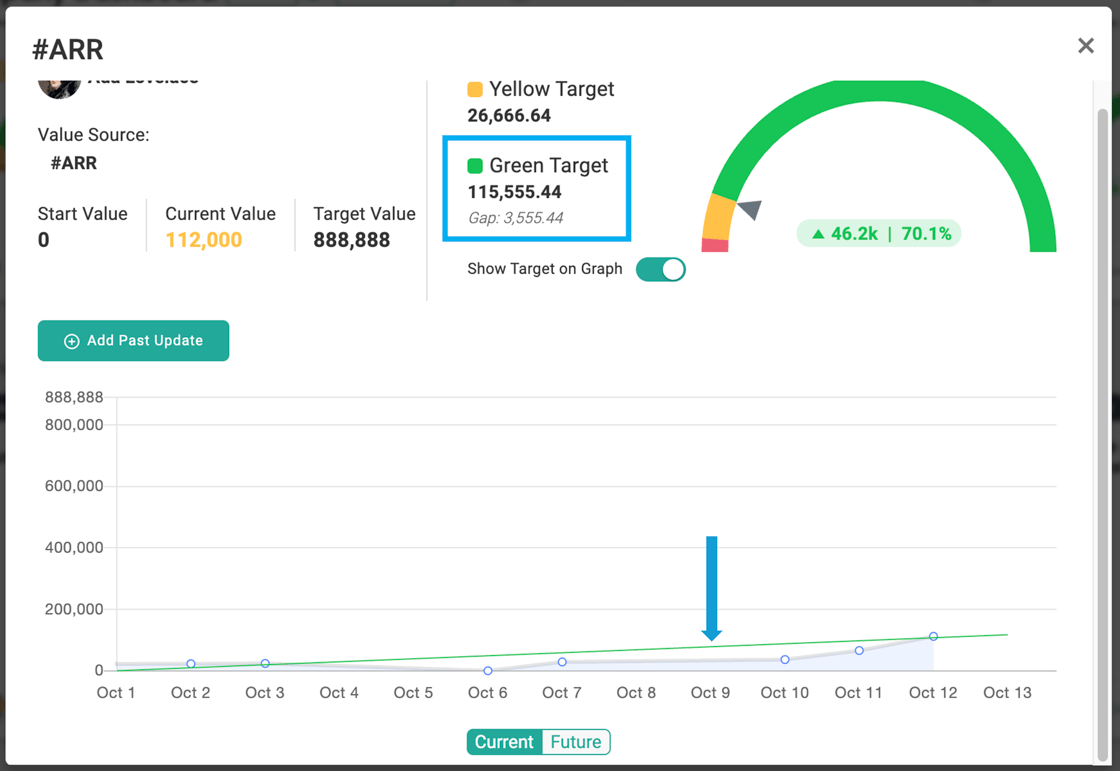
These updates bring more visibility to performance and help keep your team focused on what matters most.
Want to see how close you are to hitting green?
Open any KPI Card and head to the graph view — the numbers speak for themselves.
Smart moves today create big wins tomorrow.
Hey there,
We’ve added a new way to work with your metrics: Data Tables give you an Excel-style view of your numbers by week, month, quarter, or year — all in one place.
You still get the same flexible, visual experience you're used to with KPI cards — now with even more options to scan, sort, and explore historical data across timeframes. Click any metric name to open a graph view and spot trends at a glance.
You can also update numbers quickly by tabbing across the row, or upload a CSV to fill in historical data fast — no extra setup required if your number already uses a Metric data source.
➡️ Where to find it:
Head to your Dashboards menu and click Data Tables. You’ll see your personal “My Data Table”, plus Company and Team-level views if they’ve been set up.
Open My Data Table today and see how your numbers stack up.
More helpful tools are coming your way — stay tuned!
Smart moves today create big wins tomorrow.

Hey there,
Every company using Align shares one goal: turning priorities into measurable progress. But how that happens often depends on your industry.
This quarter, we’re launching Industry-Specific Support to help you learn directly from peers who know your challenges best. These sessions and resources are built around real conversations—how teams in your field rolled out Align, what habits make the biggest difference, and how they keep momentum week after week.
You’ll see this initiative come to life through:
-
Ask Align: Industry Editions
-
Peer-led Office Hours
-
Coach Talks
-
Industry-focused Blogs & Resources
We’re starting with Construction, Manufacturing, and Legal, and we’d love your input.
👉 What questions do you want answered?
👉 What practices have helped your team stay aligned on company priorities?
👉 What would you like to see from us next?
Email us back to share your thoughts!
More industries are on the way—so if you don’t see yours yet, tell us where to go next.
Smart moves today create big wins tomorrow.
Let’s build those moves together.
Q3 2025 · Jul–Sep · 14 emails
Hey there,
Your Annual Initiatives represent the major goals that guide your company’s progress. They serve as the anchor for day-to-day work and help ensure priorities connect to the bigger picture.
With the Annual Initiative Dashboard in Align, you can see all initiatives in one place, along with any linked priorities. It’s a simple way to spot which efforts are moving forward and which may need more attention.
If you notice gaps, you can connect existing priorities directly to your initiatives:
-
Open the priority.
-
Scroll to the Advanced section.
-
Add the related initiative.
That’s it. Once tagged, your dashboard gives you a clear, updated picture of how daily priorities support your larger goals.
Smart moves today lead to big wins tomorrow. Take a few minutes this week to check in on your initiatives and make sure your team’s work is aligned with what matters most.
Hey there,
Q4 is almost here, and a little preparation today can set your team up for a strong finish. Align makes it easy to get everyone ready and focused.
Here are two quick moves you can take now in Align:
1. Start with a Quarterly Pre-Planning Review
Before you dive into new Rocks, take a step back. Use the Quarterly Pre-Planning process inspired by coach Herb Cogliano to review what’s worked, what hasn’t, and where the business needs to go next. This gives your leadership team a clear lens before setting priorities.
2. Use Surveys to Gather Team Input
Fresh insight leads to better planning. In Align, you can:
-
Run the Rock Habits Survey to assess how your team is living the core habits.
-
Create your own custom survey in Align to get feedback on specific priorities, challenges, or ideas.
Collecting this input before your strategic planning session ensures the conversation reflects real opportunities and roadblocks, not just leadership’s perspective.
Getting ready for Q4 doesn’t need to be complicated. A few smart moves today inside Align give you the clarity and alignment your team needs to hit the ground running next quarter.
Hey there,
Scaling means shifting from “founder does it all” to empowering your team. The key ingredient is trust—and Align helps you build it every day.
Here’s how:
-
Set clear expectations with Priorities. Everyone knows what matters most and who owns it.
-
See progress in real time with Dashboards. No chasing updates across spreadsheets or chats.
-
Keep accountability alive with Huddles. Regular check-ins turn plans into follow-through.
These simple habits inside Align turn expectations into reality—the foundation of trust.
👉 Read the blog for a deeper look at the shift from founder mode to scaling and how trust makes it possible.
Smart moves today. Big wins tomorrow. - Your Customer Success TeamHey there,
In Align, Metrics aren’t just standalone figures. When connected properly, a single Metric can drive a Priority, Critical Number, KPI Card, and Quarterly Target on the OPSP.
That means when you update a Priority tied to a Metric, that change carries through anywhere that Metric is used. No duplicate entry. No disconnects.
If you're planning to add new Critical Numbers, set fresh Quarterly Targets, or create number-driven Priorities for Q4, start by asking:
➡️ Are we linking this to an existing Metric?
➡️ Are we reusing the same Metric where we’re tracking the same number?
It’s a simple step that makes updates faster and reporting more accurate—and it keeps everyone focused on what matters most.
📘 Learn how Metrics work across Align →
Do this: Take 10 minutes this week to audit your Metrics. If you have a Revenue metric, is it connected everywhere it should be? Are your Critical Numbers all driven by Metrics? Are your Metrics doing the heavy lifting they should be?
Smart moves today. Big wins tomorrow. - Your Customer Success TeamHey there,
Weekly Huddles are one of the simplest ways to keep your team aligned—but only if you make them count.
Here’s how to get the most from your time together:
- Write in your updates before the meeting. That five-minute prep helps the whole team stay focused and ready to act.
- Speak to your progress. Use your time to clarify, not just report.
- Off track? Add an action plan. Let your team know how you’re course-correcting—don’t leave them guessing.
You don’t need to live in Align. But consistent updates turn your Weekly Meetings and 1:1s into real execution tools. When everyone contributes, things move faster, and your priorities stay clear.
Need a quick refresher or tips to best set up your huddles? Join Ask Align!
Smart moves today. Big wins tomorrow. - Your Customer Success TeamHey there,
Strategy doesn’t move on its own. Progress happens when you consistently work the small stuff that adds up.That’s where Align Tasks come in. Think of them as micro-priorities—bite-sized actions that keep your bigger goals moving forward without getting buried in your day-to-day. When you sync Align with your Google or Microsoft Tasks, these strategic actions show up where you’re already working. You don’t have to switch systems or add steps. Just check things off, and Align updates automatically. Here’s what that gets you:
- Weekly data that’s more accurate, with less last-minute scrambling before meetings
- Real-time progress your leadership can see without needing to ask
- A smoother workflow that keeps everyone aligned without extra effort
Learn how to integrate Align with Google or Microsoft Tasks
Smart moves today. Big wins tomorrow.
New Product Release: API Full Release
It's been fully tested and ready for the big leagues! The Numbers API is now available! We'll be answering questions during Ask Align, so please join if you want to learn more.
Hey there,
The more people who understand your strategic priorities, the more aligned—and effective—your organization becomes. Align gives you two easy ways to share visibility without overcomplicating access:
1. Viewer Users
Viewer Users get their own Align login, but they can’t edit, update, or be assigned anything. These accounts are read-only—they can’t be given priorities or tasks.
Ideal for:
-
Board members or advisors who want to monitor progress
-
Frontline team members who benefit from seeing dashboards and public priorities
-
Anyone who needs awareness, not responsibility
2. Huddle Viewers
Huddle Viewers are a type of huddle participant. You can make any user a Huddle Viewer—whether they’re a Viewer User or a regular Align user.
Huddle Viewers:
-
Don’t fill out any text sections
-
Can join live or receive the recap email
-
Perfect for keeping people in the loop without adding to their to-do list (think 1:1s)
Clarity scales. Use Viewers to make smart moves today—and set your team up for big wins tomorrow.
New Product Release: API Full Release
It's been fully tested and ready for the big leagues! The Numbers API will be full released on Wednesday night/Thursday morning.
Hey there,
I hope your week is off to a great start. Let’s talk data—but not in an overwhelming, “spreadsheet overload” way. Instead, let’s make it practical, actionable, and genuinely useful for your team (whether you’re a frontline teammate or leading the ship).
Why it matters:
When your decisions connect directly to meaningful numbers, you don’t just “hope” things go well—you steer toward real results. That’s what Align’s KPI Suggestions and leading vs. lagging indicators are all about: making smart moves today that pull your work into tomorrow’s wins.
3 Ways to Bring Data into Your Decision-Making
-
Make leading indicators visible.
Use Dashboards and Huddles to surface the metrics that motivate action right now—before results fall behind. Pick the right indicators that tie directly to your strategy. If you’re looking for inspiration, give the AI KPI Suggestor a try to generate ideas that align with your goals. -
Make priorities number-driven.
If your priorities are task‑focused, add measurable milestones you can check off each week. Instead of “launch campaign,” try “reach 10 engaged leads—this week.” That clarity keeps momentum strong. -
Review KPIs at least once per week.
Set a rhythm. When leading indicators are set up correctly, keeping them “green” each week sets you up to stay “green” at the end of the quarter too.
Take action this week:
-
Try adding a leading indicator to one of your dashboards
-
Ask your team to pair a task priority with a mini KPI
-
Pick a specific time to review your KPIs weekly—make it a routine huddle moment
These steps help build real alignment, accountability, and momentum—one smart, data-powered move at a time.
Let me know how it goes, or if you’d like to walk through setting up any of these. You’ve got this—and Align’s here to turn the moves you set into real wins.
Hey there,
We’re about a month into the quarter, which makes this the perfect time to pause, assess, and take action.
☑️ If your priorities are still grey—that likely means they’ve been forgotten. You had strong intentions, but without clarity, execution slipped. Take a few minutes to rewrite the goal as if it’s already achieved and set a clear plan to move forward.
🔴 If you’ve got Red priorities, time to face it head-on. Was the goal realistic? Is the strategy off? Are you stalled or just in need of a focused action plan and some support? Don’t wait—course-correct now.
🟡 Yellow? You’re close. What’s the one thing that will move you over the line? Nail that, and you’re back in control.
🟢 Green? Strong work. You either nailed the plan… or you might’ve set the bar a little low 😉.
The point is: This is the moment to adjust, reset expectations, and make smarter moves to finish strong.
So—what’s the one action you’ll take this week to move your priority forward?
Hey there,
You may have noticed we just launched the Align Numbers API (it’s in Beta- yeah!)
And then you probably asked yourself: “What’s an API?”
Or maybe: “Do I need to care about this?”
Fair questions.
Here’s the simplest way I can explain it:
An API (Application Programming Interface) is a way for two systems to share data. It’s how your sales metrics from HubSpot/Salesforce/Excel—or your Finance numbers from a spreadsheet or your in-house system—can show up in Align automatically.
It takes some technical setup. You will need a developer.
But once it’s in place, your KPIs update themselves.
No more copy-pasting. No more reminder emails. No more scrambling before a meeting.
Here’s how it works:
-
You tell your developer what data you want to bring into Align.
-
They use our API to connect the source system to your Metrics.
-
The number flows in, like clockwork—daily, hourly, whatever you need.
Why it’s worth it:
✅ Numbers stay current
✅ Fewer manual errors
✅ Your team can trust the numbers and focus on action
This isn’t about tech for the sake of tech. It’s about building something once that saves time over and over again.
👉 Here’s the Numbers API guide—written for humans, not just developers.
If you’re thinking, “I like this idea, but I don’t know where to start,” we’re happy to help. We can walk through your account and help figure out what’s possible. Just stop by Ask Align!
FEATURE RELEASE: Numbers API Beta
- Imagine what you could do if you had an API to manage numbers in the software.
- If that excites you, you may be the perfect participant in the Beta program.
The API Beta group is in full testing mode. If you want to be part of the Beta, email us asap!
Come to Ask Align to find out more and ask questions and learn more about what's coming soon!
Hey there,
We’ve all left a meeting thinking, “What did we actually agree to do?”—and then… nothing happens.
That’s where Who What When (WWW) makes all the difference. It’s the easiest way to turn decisions into action.
Here’s how it works:
✅ During the meeting, WWW automatically assigns the task to you with a due date one week out.
✅ All you have to do is type the task and hit enter.
✅ When you send the meeting recap, all new WWWs are clearly highlighted—plus, the full WWW report is attached.
And during your next Huddle, if a WWW is red, that means it’s overdue and should be addressed.
Hold yourself—and each other—accountable. That’s how progress happens.
If you’ve connected your Google or Microsoft task tools, your WWWs will sync automatically.
Try using WWW today. It only takes a second—and it keeps everything on track.
Smart moves today, big wins tomorrow!
- Your Align Team
PS - If you don't see the Who What When section, check out the settings (admin only). This is how!
FEATURE RELEASE: Numbers API Beta
- Imagine what you could do if you had an API to manage numbers in the software.
- If that excites you, you may be the perfect participant in the Beta program.
The API Beta group is almost full. If you want early access to the API, email us asap!
Come to Ask Align to find out more and ask questions and learn more about what's coming soon!
Hey there,
We know you’ve got a full plate. Whether you’re leading the company or part of a frontline team, Align isn’t meant to be another task—it’s where the work that matters most comes together.
So how much time should you actually spend in Align?
Here’s a simple benchmark for companies with 20–200 people:
-
C-Suite: 1 hour/week
-
Managers: 30 - 60 minutes/week
-
Frontline: 15 - 30 minutes/week
This isn’t logging hours—it’s staying focused on the things that move your team (and company) forward. It's being strategic, not busy.
Here’s what that looks like inside Align:
✅ Prepare for your Weekly Meeting
✅ Update and take action on your Priorities
✅ Review KPIs—take initiative when things are off track
✅ Coach your team or share progress so others stay aligned
The more consistent you are in Align, the less time you’ll spend chasing updates and realigning after the fact.
Are you spending more time than this? Let's talk. Come to Ask Align!
Want to see what weekly and quarterly time in Align should look like for your role? 👉 Start here with the Align Academy
Smart moves today = big wins tomorrow.
FEATURE RELEASE: Numbers API Beta
- Imagine what you could do if you had an API to manage numbers in the software.
- If that excites you, you may be the perfect participant in the Beta program.
The API Beta group is almost full. If you want early access to the API, email us asap!
Come to Ask Align to find out more and ask questions and learn more about what's coming soon!
Hey there,
You’ve clarified expectations.
You’ve given everyone the tools—clear strategies and connected priorities.
But there’s one more piece that turns a solid plan into real results:
Accountability.
And not the kind that shows up once a quarter when things go off track. We’re talking about the kind that’s consistent, transparent, and part of your culture.
What Actually Drives Accountability?
It’s not fear, and it’s not micromanagement.
People feel accountable when three things are in place:
-
Clarity – They know what they’re responsible for.
-
Visibility – They know others can see their progress.
-
Consistency – They know they’ll talk about it regularly.
Align helps you build all three—week in and week out.
Here’s How You Do It in Align:
📊 1. Clarify ownership with KPIs and Priorities
Whether it’s a number or a project, someone’s face should be on it.
Align makes it clear who owns what—no confusion, no overlap, no hiding.
-
Each Critical Number or Leading KPI has an owner.
-
Each Priority is tied to one person.
When ownership is visible, accountability follows.
👀 2. Use status colors to build visibility
Green, Yellow, Red.
Simple—but powerful.
When you check in on progress weekly using these status colors, you create visibility without judgment.
-
Green: On track
-
Yellow: Needs attention
-
Red: Off track
The goal isn’t perfection—it’s progress and problem-solving.
🔁 3. Make Weekly Huddles the heartbeat of accountability
This is where consistency happens.
- Every week, you look at the numbers.
- Every week, you check in on priorities.
- And every week, if something’s off track, the owner shares their plan to fix it.
It’s not about blame. It’s about building a team that supports each other in real-time.
🚫 Common Pitfalls to Avoid
Even with good intentions, accountability can go sideways. Here are a few missteps to watch for:
-
“Set it and forget it” KPIs:
If you’re not reviewing progress weekly, you’re inviting surprises. Keep your KPIs active in your huddles. -
No face on the number:
If no one owns it, no one moves it. Make sure every number or priority has a clear owner. -
Treating yellow/red as failure:
Status colors are signals—not judgment. If red means blame, people stop being honest. Focus on plans, not penalties. -
Too many priorities per person:
More isn’t better. One or two strong, well-structured priorities will go further than a dozen vague ones.
Align keeps these pitfalls in check by building healthy habits into your weekly rhythm.
When accountability is clear, visible, and consistent, your team doesn’t need to be chased—they’ll show up ready to own their part of the plan.
That’s the final step in a strong execution rhythm.
And when you get it right, you don’t just stay on track. You build a culture of ownership and momentum.
Thanks for sticking with us through this 3-part series!
If you missed the earlier emails (check them out here) or want to share the full approach with your team, you can download the white paper here:
👉 Smart Moves Today, Big Wins Tomorrow
FEATURE RELEASE: Bulk Create
- New Metrics: Upload an Excel File to bulk create new metrics. Learn more here.
- Historical Updates: Add historical data to metrics by uploading an Excel file.
Come to Ask Align to find out more and ask questions and learn more about what's coming soon!
Hey there,
Last week, we focused on clarifying expectations—making sure every person knows which numbers they’re responsible for this quarter.
But here’s the key to turning those expectations into results:
You have to give people the tools to succeed.
That means giving them more than goals. It means giving them strategy—a clear plan for how they’ll get there.
That’s why Step 2 in building an execution rhythm is:
Give the Team the Tools.
And in Align, those tools are called Priorities.
Tools = Strategy
The real work starts before the quarter begins. Spend 1-2 hours to set yourself up for success (and time saved) throughout the quarter:
-
Your leadership team aligns on the most important outcomes.
-
You define the strategies that will drive those outcomes.
-
You share the plan with your team in an all-hands meeting.
-
Then each manager has a 1:1 with their team to answer the big question:
“How will you help make this happen?”
Those strategies become the roadmap.
Align makes them visible and trackable.
Priorities in Align: Strategy on Display
Think of your Company Priorities as strategic bets. They should clearly support the numbers you must hit—across revenue, margin, retention, or whatever else matters this quarter.
It’s not just about listing the goal. It’s about showing the how.
Instead of:
“Hit $2M in revenue.”
Try:
“Generate 500 leads from 2 new outbound campaigns to help hit $2M in revenue by Q3.”
With a description: “So that we build pipeline early and reduce end-of-quarter pressure.”
That’s strategy your team can act on.
Align Everyone: Every Person Should See Where They Fit
Expectations aren’t just company-wide—they’re personal.
Every individual in your org owns numbers too. And each of them should be working on at least one Personal Priority that supports the bigger plan.
This is how you create alignment across teams, roles, and departments.
And it’s how people stay connected to the outcome all quarter long.
Keep the Strategy Moving with the Right Type of Priority
Execution slows down when strategy isn’t structured. Here are three ways to build momentum inside a priority—choose the one that fits the work:
1. Milestones
Use these when progress happens in phases. Think: “Design complete,” “Prototype tested,” “Launch delivered.” Use a Task-Driven priority to create the Milestones.
2. Weekly Tasks (Task-Driven Priority)
Use these when you need steady, week-by-week progress. The sweet spot? One task per week—12 tasks per quarter. They keep your team moving consistently.
3. Leading Indicators (Number-DrivenPriority)
Use these when the work is ongoing and performance needs to be tracked in real time. These priorities include a dynamic KPI that should trend upward over the quarter—like “# of demos booked,” “# of qualified leads,” or “Response time under 2 hours.”
Every one of these helps your team stay aligned to the strategy and accountable for moving it forward.
Final Thought:
This step may be the toughest. But it’s the most powerful.
When your team understands the expectations and has the strategy to achieve them, you don’t just get buy-in—you get real, measurable progress.
Align won’t do the thinking for you. But once your plan is set, it keeps everyone aligned, focused, and moving forward.
Next week, we’ll finish this series with Step 3: Hold People Accountable—and how Align helps make that part easy, transparent, and consistent.
FEATURE RELEASE: Bulk Create
- New Metrics: Upload an Excel File to bulk create new metrics. Learn more here.
- Historical Updates: Add historical data to metrics by uploading an Excel file.
Come to Ask Align to find out more and ask questions and learn more about what's coming soon!
Q2 2025 · Apr–Jun · 12 emails
Hey there,
Let’s start with a truth we all know:
And yet, we all fall into that trap—when goals are fuzzy, communication is spotty, and teams are left guessing.
That’s why the first foundation of effective execution is so important: Clarify Expectations.
Start with the Destination
If your team doesn’t know exactly what “winning” looks like this quarter, how can they hit the mark?
Align helps you set expectations in a way that’s visible, data-driven, and reinforced weekly.
Here’s how:
✅ 1. Use the Company Dashboard to define this quarter’s targets
Your organization should have 3–5 numbers that must be hit this quarter to stay on track for the year. These become your company’s scoreboard.
Make sure those numbers are clearly posted in your Company Dashboard. They’re your team’s north star—and they should never be a mystery.
✅ 2. Use Team Huddles to connect the dots
In your weekly huddles, bring in the data that shows where you stand:
-
Critical Numbers: These are usually team-level lagging indicators tied to company goals.
-
Leading Indicators: These show if you're on pace to hit those goals (things like sales calls, submitted proposals, etc.).
Here’s how to set up your KPIs for weekly tracking →
Come to Ask Align if you want hands-on live help!
✅ 3. Set the expectation: If it’s yellow or red, you talk about it
Build this habit across your team:
If your name is on a KPI and it’s not green, come ready to share your plan to fix it.
This creates alignment, ownership, and consistent action—without surprises.
- Add an Action Plan section to your huddle and set expectations that it's filled out prior to the meeting for any yellow or red numbers.
Takeaway:
Clear expectations build confident teams. The more visibility and context you give your people, the better they can execute—and the less often you’ll feel that “expectation gap.”
Next week, we’ll break down the second foundation: Give the Team the Tools. Until then, if you want to review all three steps in one place, review last week's email here:
👉 Smart Moves Today, Big Wins Tomorrow
Hey there,
You already know the importance of executing on your strategic plan—and you’re company made the commitment to do it well by using this software!
But even strong execution routines can drift if the team loses clarity, can’t connect the dots, or struggles to hold each other accountable in a healthy way.
Over the next three weeks, we’ll revisit the foundation of effective execution:
-
Clarify Expectations
-
Give the Team the Tools
-
Hold People Accountable
Each part of this series will walk through how Align supports these steps—not just in theory, but in the weekly habits that keep teams aligned, focused, and moving forward.
Next week, we’ll kick things off with clarifying expectations: identifying the right numbers and making them visible so everyone’s pulling in the same direction.
Until then, here’s the white paper to download that goes into detail about each of these steps when you use this approach to execution. Feel free to pass this on!
Send us a quick video!
Do you love the software? Send us a video like Beth Winkler from Magnolia Physical Therapy! It doesn't have to be long or professional, just tell us why you love Align/Scoreboard and what impact it's made on you and your team.

Reply back to this email to submit or find a time to talk to us about a video.
Hey there,
You planned. You aligned. You left your strategy session fired up and ready to take on the second half of the year.
So—what’s next?
At Align, we just wrapped our own planning, and the energy is high. The ideas, the goals, the excitement about what’s ahead... it’s all real. But here's what we know: the wins don’t come from the planning session alone. They come from the work that happens between sessions.
To keep the momentum going, here’s a quick checklist to revisit:
-
Enter your new Critical Numbers and Leading Indicators
-
Confirm your Quarterly Priorities
-
Lock in your Huddle Rhythm
At a minimum, your weekly huddle should review team and individual priorities, KPIs, and include a space for action items and asking for help if you’re off track.
For even more traction, consider adding a daily huddle with just two sections:
-
What's up?
-
Top Priority
Internally at Align, we go one step further. Every Tuesday before our daily huddle, we spend 15 minutes doing a Company Priority check-in. It’s a small habit that makes a big difference—keeping our quarterly focus sharp and showing weekly progress from the top.
What will you do to stay focused and accountable between planning sessions?
If you’re stuck or need help setting up the right rhythm, stop by Ask Align and let’s figure it out together.
Smart moves today, big wins tomorrow. Let’s go.
Do you have 30 seconds?
Do you love the software?
Send us a video like Beth Winkler from Magnolia Physical Therapy!!

Email our marketing team - marketing@aligntoday.com - to submit or find a time to talk to us about a video.
The Align Team
Hey there,
The second half of the year is your chance to close strong—and it starts with getting Q3 right.
To make the most of it, take time now to assess where your focus needs to be. Don’t wait until the quarter flips and everything feels urgent.
Here are three ways to prepare with intention:
🔢 Start with the Data
Which numbers are off track? If they don’t improve next quarter, you risk falling short on annual or long-term goals.
🧠 Ask Your Team
Use a quick survey to get input. Remind everyone of your annual priorities, then ask: “Where should we focus next to move the needle?”
📊 Take the Alignment Assessment
In the Surveys tab of Align, the Alignment Assessment pinpoints which habits need the most work—based on your team’s own feedback.
Pro tip: Do this at both the company and team levels. It’s not just a leadership exercise—clarity at every level leads to faster execution.
We’re here- Ask Align is a great time to get free help! - if you want help analyzing results or facilitating the conversation. Check out our paid services too if you're looking for more than Ask Align.
Smart moves now set you up to win the back half of the year.
Hey there,
We’re closing out our Numbers series with the most visual tool in the toolbox—KPI Cards. Whether it’s a Priority, Critical Number, Quarterly Target, or Metric, KPI Cards help you track what matters where it matters most—in Dashboards and Huddles.
A few things you might not know:
-
Add multiple KPI Card sections to your Dashboards or Huddles and name them however you like. It’s an easy way to organize your view by team, category, or function.
-
Prefer a cleaner layout? Minimize a section to get a compact list view with a single click in the top-right corner.
Pro tips to make your numbers work for you:
-
Focus on the few numbers that drive action. Aim for 3–5 KPIs that motivate forward progress—not just results.
-
If it’s not something you're actively managing this quarter, it might belong as a Quarterly Target instead of a dashboard KPI.
👀 Coming soon: Linked Targets – Set a target once, view it everywhere. Keep an eye out for this powerful upgrade later this month.
Explore how KPI Cards help keep your team focused:
👉 Learn more in the Align Academy
Or join us live at Ask Align and bring your questions to our team.
What’s the difference between Metrics, Priorities, Critical Numbers, and KPI Cards?
Each plays a unique role in your plan:
-
Priorities are the strategic initiatives you’re driving this quarter. They define how you’ll hit your targets and can be tracked with Metrics or weekly sprints.
-
Critical Numbers are the top 5 numbers to watch. These are your team’s rallying points — clear signals of success that everyone should stay focused on.
-
Metrics are the data points behind it all. They power your dashboards, connect to integrations, and help you measure progress across the system.
-
KPI Cards are your visual scoreboards. Build views that combine Metrics, Priorities, and Critical Numbers to keep the right numbers front and center.
Hey there,
If you’ve ever wondered how Priorities fit alongside Critical Numbers and metrics, here’s the key: metrics show what success looks like. Priorities are how you get there.
Let’s break it down.
Once you’ve defined success for the quarter — “If we’re at X by the end of the quarter, that’s a win” — the next step is building the strategy to reach it. That strategy is your Priority.
Think of Priorities as the big pushes. They take the full quarter to complete and should drive progress toward your Critical Numbers or other key targets. You’ll know a Priority is built well if you can easily tell whether it’s on track.
Here are two proven ways to measure a Priority:
-
Leading Indicator: Tie it to something that predicts success for one of your Critical Numbers.
-
13-Week Sprint: Break the Priority into weekly milestones to track steady progress — each week becomes a clear checkpoint.
You don’t have to choose one or the other. In fact, adding a sprint view to any Priority makes it easier to stay aligned and accountable.
Priorities should never be a mystery. If you can’t tell whether it’s working until the quarter ends, it’s not doing its job. The best Priorities are SMART or FAST — but more importantly, they’re visible, trackable, and actionable throughout the quarter.
Need a gut check on yours?
Explore this quick guide to building better Priorities:
👉 What Are Priorities? – Align Academy
Or join us live at Ask Align and bring your questions to our team.
What’s the difference between Metrics, Priorities, Critical Numbers, and KPI Cards?
Each plays a unique role in your plan:
-
Priorities are the strategic initiatives you’re driving this quarter. They define how you’ll hit your targets and can be tracked with Metrics or weekly sprints.
-
Critical Numbers are the top 5 numbers to watch. These are your team’s rallying points — clear signals of success that everyone should stay focused on.
-
Metrics are the data points behind it all. They power your dashboards, connect to integrations, and help you measure progress across the system.
-
KPI Cards are your visual scoreboards. Build views that combine Metrics, Priorities, and Critical Numbers to keep the right numbers front and center.
Hey there,
When everything feels like a priority, Quarterly Targets help you focus on what really matters.
In Align, Quarterly Targets are the backbone of your business scoreboard. They’re your key lagging indicators—the numbers that show how well your strategies are working. Most companies pull their Critical Number straight from this list.
Here’s the catch: more numbers don’t mean more clarity. Take a hard look at your list and whittle it down to the few metrics that truly move the needle. Whether it's Revenue, Gross Margin, or Profit Per Employee, the right number depends on the kind of growth you're aiming for. Pick the one you believe will make the biggest difference this quarter.
Want to customize or connect your metrics with live data? Click the settings wheel next to any Quarterly Target to add integrations or tailor your targets.
And don’t forget—you can bring these numbers front and center in your Dashboards or Monthly All Hands Huddles using a KPI Card. It’s a simple way to make sure everyone sees the progress and stays aligned.
📚 Learn more: Fundamentals of Execution with Verne Harnish
📘 Bonus Read: What is a Critical Number?
Smart moves today, big wins tomorrow.
Hey there,
Critical Numbers are the key outcomes (1-2 is ideal, you can have up to 5) that need to move this quarter to call it a win. They keep everyone locked in on what matters most.
Here’s the quick breakdown:
-
Critical Numbers spotlight the few numbers that must change this quarter.
- Priorities are the actions you're driving forward to hit those Critical Numbers.
-
Quarterly Targets are the results you need to hit by the end of the quarter - Critical Numbers are often a subset of Quarterly Targets.
- Metrics are numbers you're measuring — not always about performance.
Make It Visual: Your KPI Cards visualize Critical Numbers, KPIs, Quarterly Targets, and Metrics on your Dashboards and Huddles.
Pro Tip: When you set up a Critical Number, link it to an existing Metric for quick updates and clean data— just pick "Metric" when you set the Value Source.
Advanced Tip:Use Team-Level Critical Numbers to give each team a number they can own and move the needle on.
Quick Reminder: You can always rename your KPI Card sections to match your team's style — keep it clear and meaningful.
Hey there,
We are about to release a great new feature that will make running a data-driven business even easier! With that, I thought it’d be a good time to review how numbers work inside Align. Over the next few emails, we’ll walk through each number component and how to use them.
Here’s what we’ll cover:
-
Quarterly Targets
-
Critical Numbers
-
Priorities
-
KPI Cards
Let’s start with Metrics.
Metrics = Numbers. Simple as that.
But here’s why they matter:
✅ Metrics are your Source of Truth.
✅ They're the only number type that can connect to outside integrations.
✅ Update a Metric once — the change shows up everywhere.
✅ You can visualize them in Cards, with or without a target.
There are two ways to build Metrics into your workflow:
-
Path 1: Start by listing the big numbers you want to track (Revenue, ARR, Profit, Employee Count, etc.), then drill down into leading indicators that drive those numbers. Add each of them to the Metrics list - don't forget the owner.
-
Path 2: When you’re creating a Critical Number, Priority, or Quarterly Target, spin up a Metric to track it instead of using the card itself. Choose "metric" from the drop down list then add the metric if it's a new number.
Pro Tip: Keep your Metrics clean. Already have a Revenue Metric? Use it — don’t create a new one!
Stay tuned — next up, we’ll dig into Quarterly Targets and a handy quick reference sheet.
Hey there,
We hear this all the time:
“My team’s in the field,” or “We’re hybrid and busy,” or the big one—“We don’t update Align before the Huddle because it’s not part of our day-to-day flow.”
Totally fair. If Align doesn’t fit easily into the rhythm of your work, it’s harder to use it consistently.
If you use Slack, that’s about to change.
With Align’s Slack integration, you can:- Update Huddles
- Get real-time notifications and alerts
- Track Priority progress
All right where you're already working—in Slack.
Whether you're checking in from the road, a job site, or between Zooms, this makes staying aligned a whole lot easier.
👉 Here’s a quick overview of all of the things you can do.
🎥 And here’s the step-by-step to set it up.
Small change, big win.
Hey there,
Even if a business sale or transition feels a couple of years away, there’s a lot you can do right now to set your company up for a smooth and valuable exit—and most of it just looks like good business.
The truth is, buyers want to see a company that runs well without the owner in every meeting or decision. That’s where Align can quietly make a big difference. A few small habits today build real value over time:
Get clear on what matters most
Using Align to connect everyone’s priorities to the company’s big goals keeps the team focused and moving in the same direction. When goals are visible and updated regularly, it’s easier to spot progress and gaps early.
Build a track record of accountability
A company that hits its numbers consistently is always more attractive to buyers. With KPIs front and center in Align, your team can stay on top of what’s working—and what needs attention—without waiting for a quarterly review.
Make meetings count
If you’re using Huddles, you already know they keep things from slipping through the cracks. Over time, that habit creates a culture of accountability and problem-solving that’s hard to fake and easy to value.
Preparing for an exit doesn’t have to mean shifting gears. It just means being intentional about the systems you’re building and the story your data tells.
Here’s a blog from our team that breaks it down with a two-year timeline:
👉 How to Prepare for a Business Exit in Two Years
Join Ask Align this week to talk through how to use Align more strategically—we're always happy to help.
Hey there,
Q2 is here. If you want momentum, now's the time to build it.
Here are three small habits that make a big impact:
1. Daily Huddle
Keep it fast (15 minutes or less) and focused. This isn’t a to-do list roll call. Instead, come prepared with an update that pushes your priorities forward and connects to at least one other person in the room. Example: "Bob, I’m talking to the client you closed last week about integrations—they’re going to be a great account." That kind of context drives alignment and action. This is a great "rules of the road" download to share with the team.
2. Short Priority Update
Already running a daily huddle? Add 10 minutes once a week for Company or Parent Priority owners to give a quick update. Reconnect your team to why each priority matters and how it moves the company forward. Just a few minutes goes a long way.
3. Track Leading KPIs
You know your lagging numbers: revenue, profit, new customers. But what daily or weekly actions lead to those results? Identify your leading indicators, tie them to your priorities, and make them visible. Dashboards, 1:1s, team meetings—these numbers belong in all of them.
These are simple habits, but they bring focus, accountability, and real progress.
Need help setting this up? The Align Academy has quick tips for getting started.
Ask Align - New Format - Setup eNPS
We're trying something new in Ask Align 3 times per week!
- Focus Topic: First 10 minutes will focus on setting up your eNPS survey and other items in the Culture Tab.
- Open Q&A: The remaining time will be spent on open Q&A about any topic, feature, or even your individual account. Think of this as open office hours like your college professor may have had!
Ask Align is the best way to get FREE technical training and Advisory services. We also love hearing product feedback and success stories. Help us help you! Please give us your feedback to make Align Customer Success work for your needs. Email advisor@aligntoday.com or share at Ask Align!
Q1 2025 · Jan–Mar · 1 email
Hey there,
The new quarter is quickly approaching—a clean slate and a fresh opportunity to make real progress on your Annual Goals. The way you start the quarter sets the tone for the months ahead. Here are three ways to ensure a strong start:
-
Review & Realign – Take a moment to assess where you stand with your Annual Goals. What progress have you made? What needs more attention? Align your quarterly priorities to keep momentum going.
-
Set Clear Priorities – Break big goals into focused, actionable steps for this quarter. Use Align’s Priorities tool to track progress and stay accountable.
-
Communicate & Commit – Transparency drives execution. Make sure your team is on the same page by updating huddle KPIs & Critical Numbers so everyone knows what success looks like this quarter. Don't forget to refresh your Company Dashboard too!
If you're on a quarterly timeframe, now is also the time to set up your new period in Align to ensure a seamless transition. A fresh quarter is your chance to build on past wins and adjust where needed. Here’s a quick guide to ensure a smooth period changeover in Align. Let’s make this quarter count!
Ask Align - New Format
We're trying something new in Ask Align 3 times per week!
- Focus Topic: First 10 minutes will focus on a topic or question that comes up a lot. We talk to hundreds of clients each month and tend to notice a few trends!
- Open Q&A: The remaining time will be spent on open Q&A about any topic, feature, or even your individual account. Think of this as open office hours like your college professor may have had!
Ask Align is the best way to get FREE technical training and Advisory services. We also love hearing product feedback and success stories. Help us help you! Please give us your feedback to make Align Customer Success work for your needs. Email advisor@aligntoday.com or share at Ask Align!
2024
Q3 2024 · Jul–Sep · 1 email
Hey there,
If you're preparing for your first strategy session or refreshing an existing process, execution should be a top priority. The Rock Habits Checklist by Verne Harnish is a practical tool designed to help your team align on priorities and maintain focus on growth.
Even companies with strong leadership teams revisit these habits regularly to refine their approach. Mastery takes time, but the key is ongoing improvement and ensuring every strategy session moves you closer to your goals.
Here’s how to make the most of the Rock Habits Checklist for your upcoming session:
1. Take the Alignment Company Survey
Send this to everyone in the company who is in Align about a week before your planning day. Give them 48 hours to complete it, and be sure to remind your team—this is a critical first step in identifying where your business stands.
2. Evaluate the Results
Look for trends: Which habits are your strong suits? Which ones need attention? Bring these insights into your leadership discussions to fuel meaningful conversations and set the stage for strategy day.
3. Present the Data on Strategy Day
Share the survey results with your team to create buy-in. Once everyone’s aligned, ask each person to create a personal priority that contributes to the company’s top focus areas. Don’t forget to leverage the Priority AI Coach to guide this process.
This structured approach will lead to greater focus and clarity across your team—keeping your company on track for scalable growth.
Need any help getting started with the Checklist or want to dive deeper into the process? We're here to support you every step of the way - we can talk about it in Ask Align sessions this week!
Let's make Q4 great!
The Align Team
PS - It's time to change over your period to next quarter! Click here for detailed instructions and best practices. We'll talk about this in Ask Align this week as well!